Launch Your Technical YouTube Channel: 0 to 10K Subscribers and First Sponsor in 90 Days
Launch a technical YouTube channel with an engineering-grade system that prioritizes demand validation, repeatable production, and measurable growth. In 90 days, you'll publish 20-30 high-intent videos, optimize titles/thumbnails/retention using real analytics, and implement a sponsor pipeline designed to land your first paid deal at 5K-10K subscribers without expensive gear or advanced editing.
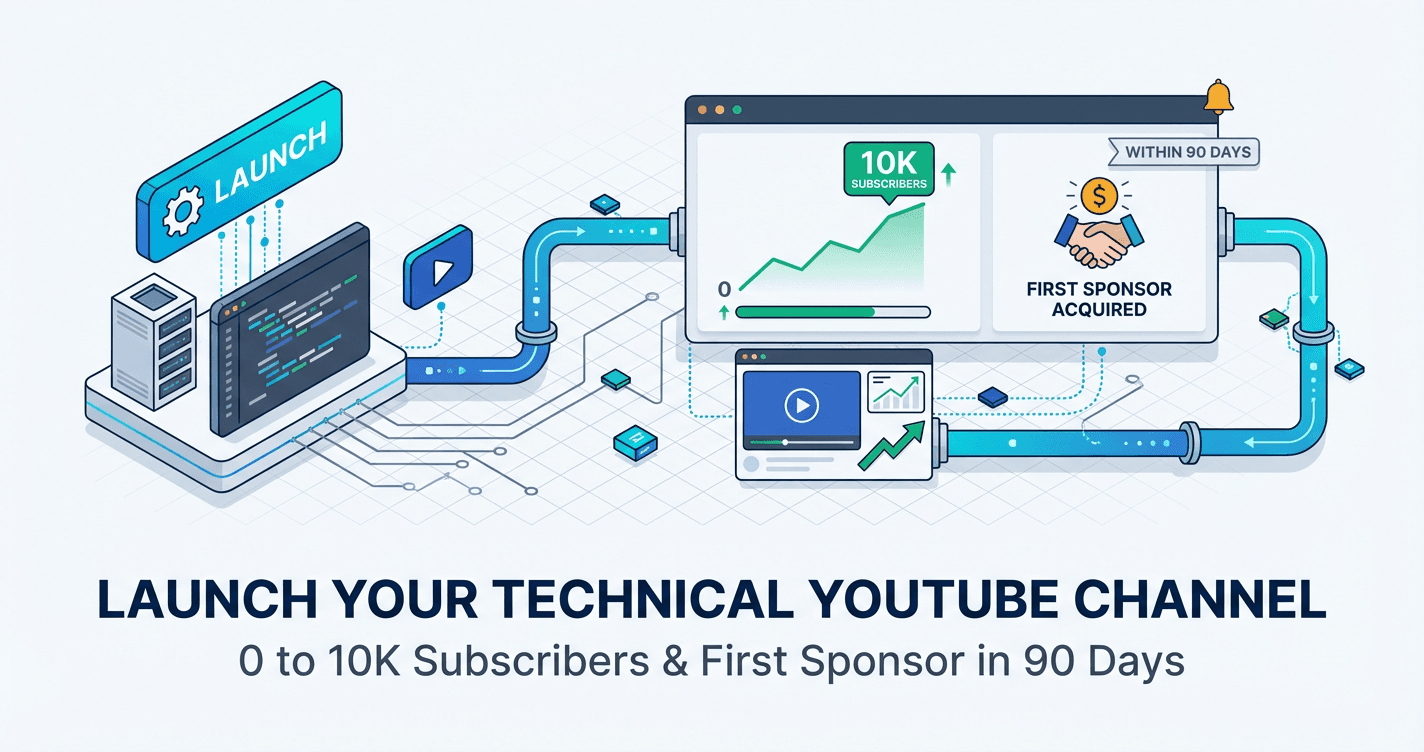
You've been sitting on a goldmine of technical knowledge while watching developers with half your expertise build audiences that land them $3,000 sponsor deals and consulting gigs at $250/hour. The difference isn't their skills or expensive gear--it's that they followed a system to go from 0 subscribers to monetization in 90 days while you've been stuck researching the perfect microphone. This is the exact framework technical creators use to skip the years of shouting into the void and start getting paid to teach what you already know.
What Students Say
Hear from learners who have completed this course:
Tomás R.
DevOps Engineer (FinTech)
I’d been “thinking about YouTube” for two years and kept bouncing between Kubernetes, Terraform, and general career advice. Section 1 (Niche Validation and Positioning) finally forced me to stop guessing—using the demand checks and a simple spreadsheet, I narrowed to “incident-ready Kubernetes” topics and built a tight channel promise. The 90-day time-boxed workflow in Section 2 was the difference-maker with a day job: I batched scripts on Sundays and recorded screen + voice in 45-minute blocks. The retention engineering in Section 6 was eye-opening; I used the audience retention graph like production monitoring and re-cut my intros to get to the first command/demo in under 20 seconds. Result: 24 videos in 90 days, 11.3K subscribers, and my first sponsor (a monitoring tool) at week 12 for $750. It also helped at work—my teammates now point new hires to my “runbook-style” videos because they’re clearer than our internal docs.
Read more
Fatima A.
Data Analyst (Healthcare)
I’m not a “creator” and I was convinced I needed fancy gear. Section 4 changed that—clean audio + crisp screen with a basic USB mic and a consistent screen capture template was enough. The technical video formats in Section 3 (especially the step-by-step “problem → dataset → query → result” structure) made my SQL and Power BI walkthroughs much easier to follow with minimal editing. I also used Section 5’s title/thumbnail framework to stop writing vague titles like “SQL Tips” and instead publish high-intent ones like “Fix Duplicate Rows in SQL with Window Functions (Real Example).” Concrete results: I went from 0 to 6.2K subscribers in three months with 21 videos, and I started getting interview outreach for analytics roles specifically referencing my window functions series. I landed my first sponsor at ~5.4K subs (a BI add-on tool) and negotiated a $500 + affiliate deal using the sponsor pipeline scripts from Section 8.
Read more
Adaeze O.
Robotics Engineer / STEM Educator
My old videos were fun but scattered, and people dropped off fast. Section 6 (Retention Engineering and Analytics) gave me a practical checklist: cut “context dumping,” add a quick demo in the first 30 seconds, and place micro-recaps before the hard parts. I applied it to my ROS2 and microcontroller lessons and watched average view duration move from ~2:10 to ~4:05 on 8–10 minute videos. Section 7’s growth loops also felt realistic—sharing in the right robotics forums with a specific question, and turning comments into follow-up videos, instead of blasting links everywhere. In 90 days I published 26 videos, hit 9.8K subscribers, and got my first paid sponsor deal right after crossing 8K (a dev board company) for $1,000 plus free hardware for two builds. The biggest career win: my department chair used my channel as proof of outreach impact and approved budget for a new lab workshop series.
Read more
Course Overview
Launch a technical YouTube channel with an engineering-grade system that prioritizes demand validation, repeatable production, and measurable growth. In 90 days, you'll publish 20-30 high-intent videos, optimize titles/thumbnails/retention using real analytics, and implement a sponsor pipeline designed to land your first paid deal at 5K-10K subscribers without expensive gear or advanced editing.
Section 1: Niche Validation and Positioning (Stop Guessing, Start Measuring)
You'll validate a technical niche using search demand, competitor gap analysis, and audience-monetization fit before recording a single video. This section turns "what should I make?" into a quantified decision with clear selection criteria.
Learning Outcomes:
- Build a niche validation scorecard using search intent, competition signals, and monetization potential.
- Identify competitor content gaps you can win (format gaps, freshness gaps, explanation gaps, tooling gaps).
- Define a channel promise and positioning statement that makes topic selection and titles easier.
Most developers approach YouTube the same way they approach a legacy codebase: with a mix of curiosity and dread, unsure of where to start without breaking something. You might have three video ideas floating in your head--perhaps a React tutorial, a breakdown of system design, or a career advice vlog.
The mistake 90% of technical creators make is starting with content creation rather than market validation. They record three videos, spend weeks editing, upload them to zero fanfare, and quit.
In this section, we are going to treat your channel launch like a product deployment. You wouldn't write 10,000 lines of code for a feature nobody asked for. Similarly, you shouldn't record a single frame of video until you have validated that there is a Search Demand, a Competitor Gap, and a Monetization Fit.
The Niche Validation Triad
Your channel needs to sit at the intersection of three specific data points. If you miss one, the channel fails.
- Search Demand (The Traffic): Are people actively searching for solutions to the problems you can solve?
- Competitor Gap (The Opportunity): Is the current supply of content outdated, boring, or shallow?
- Monetization Fit (The Revenue): Does this audience have purchasing power or professional influence?

Key Insight: As a technical creator, your initial growth will not come from the "Browse" algorithm (viral recommendations). It will come from YouTube Search. You are answering specific technical queries. If nobody is asking the question, nobody will watch the answer.
Step 1: Measuring Search Demand
You need to verify that your topic has "intent." High-intent keywords are specific questions that indicate a user is stuck and looking for a solution.
Do not target broad keywords like "Coding" or "Technology." These are saturated red oceans. Instead, drill down into specific libraries, frameworks, or problems.
The Validation Workflow:
- Open an Incognito/Private window in your browser.
- Go to YouTube and start typing your topic idea (e.g., "Docker for...").
- Look at the autocomplete predictions. These are not random; they are ranked by search volume.
- If you see specific completions like "Docker for Node.js developers" or "Docker for home server," you have found demand.
Verification Criteria:
- Recent Activity: Filter your search results by "This Year." Are there videos with 10k+ views uploaded in the last 12 months? This proves the topic is still relevant.
- Pain-Point Phrasing: Look for titles including "How to fix," "Tutorial," "Crash Course," or "vs." (comparison).
Step 2: Finding the Competitor Gap
Just because there is search volume doesn't mean you should enter the niche. You need to identify a "Gap" in the current market. If the top result is a perfect, high-production 10-minute video uploaded last week by a massive channel, do not compete there.
However, in technical niches, the top results are often flawed. We look for four specific gaps:
| Gap Type | The Problem with Current Results | Your Opportunity |
|---|---|---|
| The Freshness Gap | Top videos are 2+ years old. The UI has changed, or the syntax is deprecated. | Create the "2024 Update" version. The algorithm prefers fresh data for technical queries. |
| The Explanation Gap | The creator assumes too much knowledge or is incredibly boring/monotone. | Explain the mental model, not just the syntax. Use diagrams or analogies. |
| The Format Gap | Top results are long, unedited livestreams or PowerPoints. | Create a tightly edited, 10-minute "Get it done" guide with timestamps. |
| The Tooling Gap | Videos show the "what" but not the "how." | Share your config files, GitHub repos, or VS Code setup in the description. |
Pro Tip: If you find a topic where the top 3 results are over 2 years old, or the audio quality is terrible, you have found a "Green Light" opportunity. You can beat these incumbents simply by having clear audio and up-to-date code.
Step 3: Audience-Monetization Fit
This is where technical channels have a massive advantage over gaming or lifestyle channels. You do not need 100,000 subscribers to make a significant income. You need the right subscribers.
A channel teaching "Minecraft Mods" might need 500,000 views to make a living. A channel teaching "Enterprise Kubernetes Security" might only need 5,000 views to land a high-ticket consulting gig or a lucrative sponsorship from a cloud vendor.
Ask these three questions to validate monetization:
- Does this audience have a job? (e.g., Senior Engineers vs. CS Students).
- Does this audience control a budget? (e.g., Selecting a database provider or hosting platform).
- Is the problem expensive? (e.g., Passing a certification that leads to a raise vs. changing a desktop wallpaper).
If your niche targets professionals solving expensive problems, your "Revenue Per Viewer" will be 10x-50x higher than the average YouTuber.
The Output: Your Channel Positioning Statement
Now that you have data, we stop guessing. We define your channel's "API"--what inputs (topics) you accept and what outputs (value) you provide.
You must be able to fill in this blank clearly:
"This channel helps [Specific Persona] to [Specific Outcome] by [Unique Mechanism]."
Weak Positioning: "This channel helps people learn to code by making tutorials." (Too broad, no unique mechanism, low value).
Strong Positioning: "This channel helps Python Data Scientists automate their reporting workflows by building real-world scripts and dashboards (no theory)." (Specific audience, clear financial value, unique practical angle).
Important: Your positioning isn't permanent. It's your "Minimum Viable Product" (MVP). It gives you a constraint so you stop wasting time researching camera gear and start researching topics that actually matter to your target viewer.
Summary and Next Steps
By applying this framework, you move from "I hope people watch this" to "I know 15,000 people searched for this last month, and the top result is three years old."
Your Assignment for Module 1:
- List 3 potential niche ideas based on your current professional expertise.
- Run the Search/Gap analysis for each. Find at least one keyword where the top results are outdated or low quality.
- Draft your Positioning Statement.
In Section 2, we will take this validated positioning and turn it into a concrete Content Strategy. We will break down exactly how to structure your first 5 videos to trigger the YouTube algorithm's "session time" metric, ensuring your new channel gets traction immediately.
Section 2: The 90-Day Content System and Time-Boxed Workflow (Built for a Day Job)
You'll design a repeatable workflow that fits 5-10 hours per week, including batching, templates, and two pacing tracks (weekend warrior vs daily incremental). The focus is consistency and throughput without burnout.
Learning Outcomes:
- Create a 12-week production plan that results in 20-30 published videos with realistic weekly time budgets.
- Set up a content calendar and backlog system (topics, scripts, assets, publish checklist) you can run on autopilot.
- Implement batching and standard operating procedures for scripting, recording, publishing, and post-publish updates.
In Section 1, we validated your niche using search volume data and competitive gap analysis. You now know what to build. The problem is no longer "what do I say?"--it is "how do I find the time?"
Most technical professionals fail on YouTube not because they lack knowledge, but because they treat content creation as a creative project rather than an operational workflow. If you approach every video as a unique artistic endeavor, you will burn out within three weeks.
To succeed while maintaining your full-time role as a developer or engineer, you must treat your channel like a CI/CD pipeline. Your goal is to design a high-availability system that ensures consistent delivery of 20-30 videos over the next 90 days, regardless of whether you have a crunch week at work.
The Engineering Mindset: Content as a Pipeline
We are shifting from "creating art" to "shipping packets." In software engineering, we know that context switching is the killer of productivity. The same applies here. If you write a script on Monday, record on Wednesday, and edit on Friday, you are paying a "setup tax" three times.
Your 90-day objective is to build a library of assets (videos) that work for you asynchronously. To do this, we implement a Time-Boxed Workflow constrained to 5-10 hours per week.

Key Insight: Your first 20 videos are not about getting a million views; they are about generating data points to train your algorithm (and yourself). You cannot optimize a system that has no throughput. Quantity leads to quality, but only if the process is sustainable.
Two Pacing Tracks: Choose Your Architecture
Different operational styles require different workflows. Based on our analysis of successful technical creators with day jobs, there are two viable paths. You must choose one and commit to it for the full 90 days.
Track A: The Weekend Warrior (Batch Processing)
This track is best for those who cannot spare mental energy during the work week. You condense 80% of your output into a single focused sprint on the weekend.
- Monday - Thursday: Passive ideation (capturing ideas in Notion/Obsidian during your commute) and community engagement (15 mins/day).
- Saturday (4-6 Hours): The Sprint.
- Hour 1: Scripting 2 videos simultaneously.
- Hour 2: Recording 2 videos back-to-back (same lighting, same audio setup).
- Hour 3-5: Editing and thumbnail creation.
- Hour 6: Scheduling uploads for the week.
Track B: The Daily Git Commit (Incremental Builds)
This track is best for those who prefer routine and smaller chunks of work to avoid weekend fatigue. This mimics the "daily commit" philosophy.
- Monday (45 mins): Keyword research and Scripting Video A.
- Tuesday (45 mins): Recording Video A (A-roll and screen share).
- Wednesday (45 mins): Rough Cut Edit of Video A.
- Thursday (45 mins): Final Polish and Thumbnail for Video A.
- Friday (30 mins): Upload, SEO metadata, and Scheduling.
- Weekend: Off.
Comparison of Workflows
| Feature | Track A: Weekend Warrior | Track B: Daily Incremental |
|---|---|---|
| Context Switching | Low (Deep work state) | Medium (Requires daily ramp-up) |
| Setup Friction | Low (Set up camera/mic once) | High (Must have permanent desk setup) |
| Risk Factor | High (If you miss Saturday, you miss the week) | Low (Easy to catch up if one day is missed) |
| Ideal For | Infrastructure/DevOps Engineers on-call during week | Developers with predictable 9-5 schedules |
The Production Stack: Templates and SOPs
To hit these time targets, you cannot start from a blank IDE every time. You need Standard Operating Procedures (SOPs).
1. The Scripting Template (JSON Structure for Humans)
Stop writing essays. Write structured data. Your script should follow a modular format that makes recording easy.
- The Hook (0:00-0:45): State the problem and the specific technical outcome. Example: "In this video, I'll show you how to reduce Docker image size by 40% using multi-stage builds."
- The Setup (0:45-2:00): Pre-requisites and environment setup.
- The Execution (2:00-8:00): Step-by-step tutorial (Screen recording).
- The Payoff (8:00-End): Verification that it worked and where to find the code.
2. The "Live-to-Tape" Recording Method
The biggest time-sink for technical creators is editing. The solution is not faster editing; it is better recording.
- Use OBS Scenes: Instead of recording your face, then recording your screen, and splicing them together in Premiere/DaVinci, use OBS Studio.
- Scene Switching: Set up hotkeys to switch between "Face Only" and "Screen + Small Face Cam" while you record.
- The Result: When you stop recording, your video is 90% done. You just need to trim the start and end.
Pro Tip: If you make a coding error during a screen recording, do not stop the recording. Clap your hands loudly (to create a spike in the audio waveform for easy finding later), pause for three seconds, and restart the sentence. This is faster than restarting the whole take.
Managing the Backlog: The Content Kanban
You need a "Topic Backlog" to prevent decision fatigue. Use a simple Kanban board (Notion, Trello, or GitHub Projects).
- Backlog: Raw ideas validated by keyword research (from Section 1).
- To Script: Ideas selected for the current sprint.
- Ready to Record: Script is done, assets are gathered.
- Post-Production: Recorded, needs editing/thumbnail.
- Scheduled: Uploaded to YouTube, pending public release.
Success Criteria for Section 2: By the end of this week, you should have:
- Selected your track (Weekend Warrior vs. Daily).
- Blocked out the specific hours in your calendar (treat these like client meetings).
- Created your Kanban board with at least 10 validated topics in the "Backlog" column.
- Downloaded and configured OBS for scene switching to minimize editing.
What You'll Build On
This workflow is the foundation for everything that follows.
- In Section 3 (High-CTR Packaging), we will slot thumbnail creation into this workflow without blowing your time budget.
- In Section 4 (The Algorithm), we will analyze the data your 90-day sprint generates to optimize Average View Duration (AVD).
- In Section 6 (Monetization), we will see how having a consistent "Scheduled" column gives you leverage when negotiating with sponsors, as you can guarantee inventory weeks in advance.
You have the system. You have the schedule. Now, we move to the tactical execution of packaging your content so people actually click on it.
Next Up: Section 3: High-CTR Packaging - Thumbnails and Titles for the Analytical Mind.
Course Details
- Sections8 sections
- Price$9.99