Launch Your Paid Shopify App: From Idea to $10K MRR in 90 Days
Launch a paid Shopify app in 90 days using a validation-first system designed for developers who can ship code but struggle with distribution, pricing, and merchant acquisition. You'll go from selecting a proven merchant pain point to building a production-ready app, passing App Store review, and executing a repeatable launch engine aimed at reaching your first 50-100 paying merchants and scaling toward $10K MRR.
You've built side projects that went nowhere because you skipped validation, couldn't figure out distribution, and had no idea if anyone would actually pay. This isn't another course about "finding your passion" - it's a 90-day system that shows you exactly what profitable Shopify app to build, how to get it approved on the first try, and the specific acquisition channels that will get you to $10K MRR. By day 91, you'll either have paying customers and growing MRR, or you'll know exactly why and what to fix.
What Students Say
Hear from learners who have completed this course:
Tomás R.
Indie Developer & Former Marketplace Engineer
I used to jump straight into building. Section 1 (Validation-First App Selection) forced me to do the unglamorous work: merchant interviews, writing out the exact workflow pain, and ranking ideas by “frequency × severity × willingness to pay.” I scrapped my original idea after 9 calls and pivoted to an app focused on fixing post-purchase order tagging issues. Section 2’s “Why Buy” positioning template helped me stop describing features and start selling outcomes (“reduce manual tagging time by 70%”). On the build side, Section 3 was the missing bridge for me—CLI setup, OAuth, App Bridge, and Polaris patterns were laid out in a way I could ship fast without the UI looking like a side project. Within 62 days I had 41 paying merchants on a $29/mo plan, and I hit $1.2K MRR in month two—my first app that actually sells itself instead of me begging on Twitter.
Read more
Priya V.
Growth Engineer at a DTC Brand (Internal Tools → Public App)
I took this course because our team had built a small internal Shopify tool and I wanted to see if it could become a paid app. The biggest shift came from Section 5 (Billing Integration): I finally understood when to use subscriptions vs. usage charges and how to structure tiers around merchant value. I implemented the subscription flow with proper plan gating and the upgrade/downgrade paths that the course walks through—before that, our “pricing page” was basically a Google Doc. The engineering hardening in Section 4 (webhooks + reliability + security) saved us during launch week. We added the recommended webhook handling and idempotency checks, and it prevented duplicate processing when Shopify retried events. Results: we went from 0 external users to 28 paying merchants in 6 weeks, churn in the first month stayed under 5%, and I was able to present a clean metrics dashboard (Section 8) to leadership to justify continuing investment. It directly impacted my role—I’m now leading our “platform apps” initiative.
Read more
Noura A.
Ecommerce Consultant & Shopify Implementer
As a consultant, I can build or outsource code, but I’ve always struggled with distribution and getting merchants to actually install something new. Section 7 (Launch Engine and Merchant Acquisition) was the most useful part for me. I followed the SEO listing checklist for the Shopify App Store (keywords, screenshots that show the workflow, and the “before/after” copy) and combined it with the community/outreach scripts. The outreach framework felt realistic—how to ask for feedback without sounding spammy, and how to turn a ‘not now’ into a waitlist. Section 6 also mattered more than I expected. The review guidance (privacy policy, data access explanations, and the common reasons apps get rejected) helped us pass App Store review on the first real attempt instead of a week of back-and-forth. Concrete outcome: the app launched with 15 installs in the first 10 days from app store traffic alone, and by week 8 we had 19 paying merchants at $49/mo ($931 MRR). More importantly, I now have a repeatable launch playbook I can use for future client apps instead of reinventing it every time.
Read more
Course Overview
Launch a paid Shopify app in 90 days using a validation-first system designed for developers who can ship code but struggle with distribution, pricing, and merchant acquisition. You'll go from selecting a proven merchant pain point to building a production-ready app, passing App Store review, and executing a repeatable launch engine aimed at reaching your first 50-100 paying merchants and scaling toward $10K MRR.
Section 1: Validation-First App Selection (No Code Until It's Worth It)
You'll identify a real, high-value merchant problem through structured interviews, competitor gap analysis, and fast proof-of-demand tests that prevent months of wasted building.
Learning Outcomes:
- Run 15-30 merchant interviews using a script that extracts pains, workflows, and willingness to pay
- Map competitor apps and reviews to find pricing, positioning, and feature gaps you can exploit
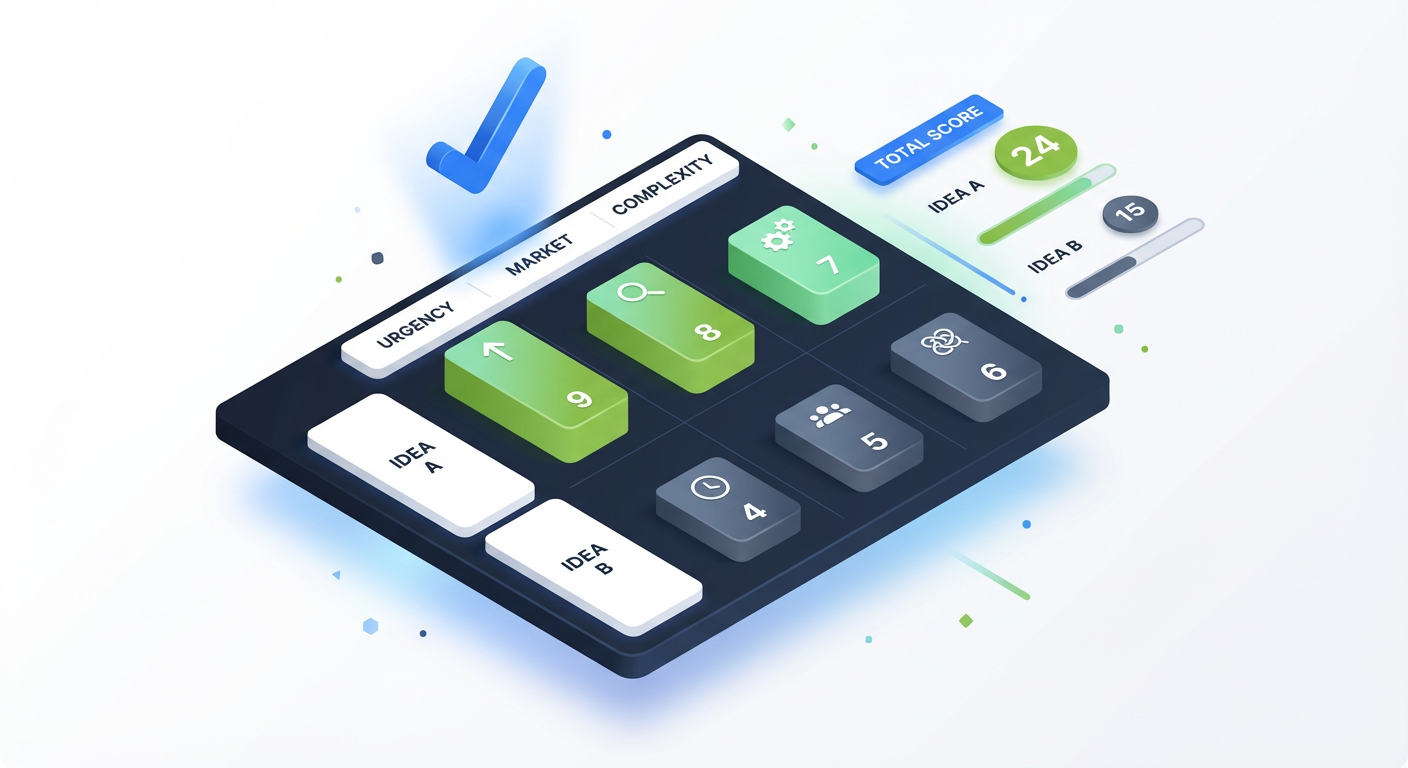
- Score and select an app idea using a decision matrix (market size, urgency, monetization, build complexity)
The biggest mistake developers make is opening their IDE too early.
As a developer, your instinct is to build. You solve problems with code. When you have an idea, you immediately start thinking about the database schema, the React component structure, and which Shopify APIs you'll need. This is the Builder's Fallacy: It feels like progress, but it is actually a high-risk gamble with your most valuable asset: your time.
In the Shopify ecosystem, technical execution is rarely the cause of failure. The primary cause of failure is building a technically sound solution to a problem that nobody is willing to pay to fix.
This section forces you to operate differently. For the first week, your code editor stays closed. Instead, we are going to apply a rigorous, engineering-like mindset to market validation. We will treat business requirements with the same strictness as syntax errors. If the idea doesn't compile against market data, we don't build it.
The "Pain Extraction" Interview Script
You cannot validate a B2B SaaS idea by asking friends or posting on generic subreddits. You need to talk to active Shopify merchants. Your goal is not to pitch an idea; it is to extract a workflow.
You need to conduct 15-30 meaningful conversations. A "meaningful" conversation is one where the merchant reveals a specific bottleneck that costs them time or money.
Key Insight: Avoid asking "Would you use this app?" Humans are polite and terrible at predicting future behavior. Instead, ask "How do you currently handle X?" and "How much did you pay to solve this last time?" Past behavior is the only reliable predictor of future purchase.
Use this 4-step Pain Extraction Script during your outreach (DM, email, or forum replies):
- The Context Anchor: "I see you're handling high-volume inventory..."
- The Workflow Audit: "Walk me through how you currently handle syncing stock levels between your warehouse and Shopify. Do you do it manually via CSV?"
- The Cost Quantifier: "How many hours a week does that take? Have you ever oversold because the sync was too slow?"
- The Solution Gap: "Why haven't you installed an app to automate this yet? What's missing in the current tools?"
If 10 out of 15 merchants tell you they use spreadsheets because existing apps are "too enterprise-focused" or "don't handle bundles correctly," you have found a verified gap.
Weaponizing the App Store: Competitor Gap Analysis
The Shopify App Store is a public database of feature requests and pricing tolerances. While most developers look at the top-rated apps to copy them, you will look for the vulnerable incumbents.
You are looking for "One-Star Rich" competitors. These are apps that have high install counts (indicating high market demand) but recent 1-star or 2-star reviews (indicating the current solution is breaking).
How to audit a competitor:
- Filter Reviews by "Newest": Ignore the overall 4.8 rating accumulated over 5 years. Look at the last 3 months. Are users complaining about support, bugs, or a specific missing feature?
- Pricing Analysis: Is there a massive jump between the "Free" plan and the "Pro" plan? For example, if the Free plan is $0 and the next tier is $99, there is a "mid-market" gap at $19 or $29 for merchants who need one specific pro feature but can't afford enterprise rates.
- Keyword SEO: Look at the competitor's title and subtitle. Are they ranking for keywords that don't match their product anymore?
Use the table below to categorize opportunities you find during your research.
| Opportunity Type | Signal in App Store | Strategy |
|---|---|---|
| The Unbundler | Competitor is a massive "All-in-One" suite (e.g., Email + SMS + Reviews) costing $200/mo. | Extract one specific feature (e.g., just SMS) and do it better for $15/mo. |
| The Zombie | App has 5,000+ reviews but hasn't been updated in 12 months. Recent reviews mention bugs. | Clone the core functionality using modern APIs (Remix/Hydrogen) and offer reliable support. |
| The Enterprise Gap | Competitor has "Contact Us" for pricing or starts at $500/mo. | Build a self-serve version with 80% of the features for the bottom 80% of the market. |
Pro Tip: Pay close attention to "3-star" reviews. These are the most valuable. A 1-star review often means "it didn't work." A 3-star review usually says, "It works, BUT it is missing feature X." That 'BUT' is your product roadmap.
The Decision Matrix: Scoring Your Ideas
By now, you likely have 2 or 3 potential app ideas. You need to pick one to execute in the next 90 days. Do not rely on your gut feeling. Use a weighted decision matrix to score each idea.
We evaluate ideas based on four strict criteria:
- Pain Urgency (1-10): Is this a "vitamin" (nice to have) or a "painkiller" (stops them from losing money)? An app that changes button colors is a vitamin. An app that prevents overselling inventory is a painkiller.
- Market Accessibility (1-10): Do you know exactly where these customers hang out? If you have to spend $5,000 on ads to find them, score this low. If you can find them in a specific Facebook group or by filtering Shopify stores by technology, score this high.
- Technical Feasibility (1-10): Can you build the MVP in 3 weeks working part-time? If it requires complex 3rd-party logistics integrations or AI training, the score is low. If it's a straightforward CRUD app using Shopify's Admin API, score high.
- Monetization Potential (1-10): Based on your competitor analysis, can you charge at least $10-$20/month? Avoid the "race to the bottom" ($2.99 apps).
The Formula: (Urgency x 2) + Accessibility + Feasibility + Monetization = Total Score
Example Calculation:
- Idea A (Store Design Tweak): Low Urgency (3), High Accessibility (8), High Feasibility (9), Low Price (3).
- Score: (3x2) + 8 + 9 + 3 = 26
- Idea B (B2B Wholesale Invoice Generator): High Urgency (9), Medium Accessibility (6), Medium Feasibility (6), High Price (8).
- Score: (9x2) + 6 + 6 + 8 = 38
In this scenario, Idea B is the clear winner. It solves an urgent, expensive problem, even if it's slightly harder to build and market.
Important: High technical complexity is often a trap for solo founders. You want the "boring" B2B problem that requires simple logic but solves a major headache, not the technically dazzling problem that requires months of R&D.
The "Smoke Test": Validation Before Implementation
The final step before Section 2 is the Smoke Test. You have your idea, you have your target merchant, and you know the price. Now, prove they will click "Install."
Create a simple landing page (using Carrd, Webflow, or even a Notion doc). The headline must speak directly to the pain point you identified in your interviews.
- Bad Headline: "Invoicer Pro - The Best Invoicing App."
- Good Headline: "Stop Creating Wholesale Invoices Manually. Auto-Sync PDF Invoices to B2B Orders."
Post this link in the communities where you did your interviews. If you can get 10-20 email signups from a simple landing page, you have concrete proof of demand. If nobody clicks, do not write a single line of code. Go back to the interviews.
What's Next?
You have now identified a problem that costs merchants money, verified that competitors are leaving money on the table, and confirmed that the build is feasible within our 90-day timeline. You have permission to build.
In Section 2: Technical Specification & Architecture, we will translate these business requirements into a concrete technical plan. You will learn how to select the right tech stack (Node vs. Remix), map out your database schema to handle Shopify's API rate limits, and architect a system that scales without requiring you to wake up at 3 AM for server maintenance.
Section 2: Define the Offer, Pricing, and the "Why Buy" Positioning
You'll turn the validated problem into a clear value proposition, define a tight MVP scope, and choose a pricing model that supports freemium-to-paid conversion without guessing.
Learning Outcomes:
- Write a one-page spec including target merchant, job-to-be-done, MVP features, and non-goals
- Choose a pricing approach (tiered, usage-based, hybrid) using a decision tree tied to merchant ROI
- Design a conversion funnel (activation points, paywall triggers, upgrade prompts) based on usage milestones
In Section 1, you validated that a problem exists. You found merchants complaining in forums, analyzed 1-star reviews on competitor apps, and perhaps even got a few replies to cold outreach. The temptation now is to open your IDE, spin up a new Shopify CLI project, and start coding.
Do not do this.
Writing code without a finalized offer specification is the fastest way to build "shelfware"--software that sits on the shelf, technically sound but commercially unviable. In this section, we are converting your validated problem into a product specification. We are defining the scope to prevent feature creep, setting a price based on merchant ROI (not your server costs), and engineering the "Why Buy" logic before a single line of React is written.
The One-Page Spec: Defining The "Anti-Roadmap"
Most developers fail to ship within 90 days because they treat the MVP (Minimum Viable Product) as a "version 1.0" of their dream product. This is wrong. An MVP in the Shopify ecosystem has a singular purpose: to solve one painful problem so effectively that a merchant is willing to pay for it immediately.
To ensure you hit your timeline, you need a One-Page Spec. This document serves as your contract with yourself. If a feature is not on this page, it does not get built in the first 90 days.
Your spec must explicitly list Non-Goals. These are features you could build but won't.
Key Insight: Complexity creates friction. Every additional feature in your MVP increases the surface area for bugs, extends your development timeline, and complicates your onboarding flow.
The MVP Scope Matrix
| Category | Description | Example (Inventory Alert App) |
|---|---|---|
| Core Value | The one function the app cannot exist without. | Checking inventory levels via webhook and sending an email. |
| MVP Requirement | Essential UI/UX needed to deliver the Core Value. | Settings page to input email address and set low-stock threshold. |
| Nice-to-Have (v1.1) | Features that add value but don't block the primary solution. | SMS notifications, Slack integration, dashboard analytics. |
| Non-Goal (v2.0) | Large scope items that distract from launch. | AI-based demand forecasting, multi-warehouse support. |
Your job is to move everything from "Nice-to-Have" to "Non-Goal" until you are uncomfortable with how simple the product is. If you aren't embarrassed by the lack of features, you are building too much.
Engineering the "Why Buy" Positioning
Merchants do not buy apps; they buy outcomes. They do not care about your clean code, your use of GraphQL, or your serverless architecture. They care about two things:
- Making more money (Revenue/AOV increase).
- Saving time (Efficiency/Automation).
You must translate your technical feature into a Value Proposition.
- Weak Positioning (Feature-focused): "Our app syncs inventory every 5 minutes using the Shopify Admin API."
- Strong Positioning (Outcome-focused): "Stop refunding angry customers. Prevent overselling by syncing inventory in real-time."
The "Why Buy" positioning dictates your marketing copy, your App Store listing, and your onboarding text.
Pricing Models: The Decision Tree
Developers often price their apps based on their costs (hosting, database) or by blindly copying competitors. This is a mistake. You should price based on the value captured for the merchant.
If your app saves a merchant 10 hours a month and they value their time at $50/hour, you are generating $500 of value. Charging $9.99 is leaving money on the table and signaling low quality. Charging $49.00 is a no-brainer for them.

Use this framework to select your pricing model:
- Direct Revenue Attribution: Does your app directly increase sales (e.g., upsells, cross-sells)?
- Strategy: Usage-Based or Hybrid. Charge a small base fee + a percentage of revenue generated. This aligns your success with theirs.
- High-Volume Operations: Does your app process orders, images, or customers?
- Strategy: Tiered Usage. Create buckets (e.g., up to 500 orders/mo, up to 5,000 orders/mo). This allows you to capture upside from growing merchants.
- Utility & Automation: Does your app solve a static problem regardless of store size (e.g., hiding a button, fixing a theme glitch)?
- Strategy: Flat Rate. Keep it simple. $9/mo or $19/mo.
Pro Tip: Avoid "Free Forever" plans if possible. In the B2B Shopify ecosystem, free users generate the most support tickets and the least revenue. Instead, offer a "Freemium" model where the free tier is utility-capped, or a time-limited Free Trial (7-14 days) that requires a credit card upfront.
Designing the Conversion Funnel
The funnel is not a marketing concept; it is a user flow engineering challenge. You need to design your application logic to move users from "Install" to "Paid" as quickly as possible. We call this reducing the Time-to-Value (TTV).
In your MVP spec, define these three states:
1. The "Aha!" Moment (Activation) What is the first action a user takes that demonstrates the app's value?
- Example: For an SEO image optimizer, the "Aha!" moment is seeing the first 10 images get compressed.
- Implementation: Do not force users to read a manual. Use an "Onboarding Wizard" that guides them to this single action immediately after install.
2. The Paywall Trigger Where does the free tier end and the paid tier begin?
- Hard Gate: Features are locked and visible but grayed out. "Upgrade to unlock."
- Soft Gate: Usage limits (e.g., "You have used 45/50 free credits").
- Implementation: You must design the UI states for these triggers. A locked feature is a marketing asset inside your app.
3. The Retention Hook Why will they keep paying next month?
- Implementation: Automated weekly email reports (e.g., "You saved 4 hours this week") or set-and-forget background tasks that the merchant fears turning off.
Decision Matrix: Validating Your Spec
Before moving to the next section, run your spec through this checklist. If you answer "No" to any of these, your scope is too broad.
- Can a competent developer build the core feature in 2 weekends?
- Is the pricing model easy to explain in one sentence?
- Is there a clear metric (ROI) the merchant can see to justify the cost?
- Have you cut at least 50% of your initial feature ideas?
What You'll Build On
This specification is the blueprint for the technical work ahead.
- In Section 3 (Architecture), we will map these features to the Shopify API and select a tech stack (Remix/Node/Prisma) that handles the scale defined in your pricing tiers.
- In Section 4 (Implementation), we will code the exact billing triggers and "Aha!" moments you defined here, utilizing the Shopify Billing API to handle upgrades automatically.
- In Section 6 (Marketing), your "Why Buy" positioning will become the headline of your cold emails and App Store listing.
The Path Forward
You now have a "paper product." It solves a specific problem, has a price tag attached, and a defined scope that prevents you from coding for six months with nothing to show for it. You have transitioned from a developer with an idea to a product owner with a plan.
However, a spec is useless without execution. The real challenge begins when we translate these requirements into a scalable Shopify application that can handle webhooks, API rate limits, and secure billing transactions.
In the upcoming sections of the full course, we will stop planning and start building. We will dive deep into the Shopify CLI, set up a production-ready database schema, and write the actual code that turns this spec into a revenue-generating asset. We will also cover the rigorous App Store review process--showing you exactly how to code your app to pass their automated and manual checks on the first try.
Your 90-day clock is ticking. Let's start building.
Course Details
- Sections8 sections
- Price$9.99