Launch Your Paid Notion Template Business: From Side Project to $5K MRR in 60 Days
Launch a paid Notion template business in 60 days using a product-first system that validates demand before you build, then sells and scales like a lightweight SaaS. You'll ship 3-5 premium templates, set up Gumroad for conversions and upsells, and run a repeatable content-and-community launch to reach your first 100 customers and build momentum toward $5K MRR without quitting your job.
You've spent hundreds of hours building Notion systems that actually work--for yourself. While you're perfecting your personal dashboard for the third time this month, someone else with a worse template just made their first $3K selling the exact skill you already have. This course shows you the proven system to transform those templates sitting in your Notion workspace into a real business that generates revenue while you sleep--no audience, no guessing, and no wasting weekends building things nobody wants.
What Students Say
Hear from learners who have completed this course:
Adaeze O.
Customer Success Manager (B2B SaaS)
I’d tried selling Notion templates before, but I was basically guessing. Section 2 (community research + pre-sell signals) was the turning point: I used the exact outreach prompts to interview 18 founders in a Slack community and then posted a waitlist with a “problem-first” outline instead of a finished product. I got 47 email signups in 6 days and 11 pre-orders before I finished building. The “templates that feel like products” ideas in Section 3 (guided onboarding, instructions toggle, and a simple dashboard → workflow structure) cut my support emails in half because people didn’t get lost. In 60 days I shipped 4 templates, hit 126 total customers, and averaged ~$3.2K MRR without touching my day job. The system feels repeatable, not luck-based.
Read more
Tomás R.
Freelance Operations Consultant (Startups)
I consult on ops systems, so I’m picky about frameworks. Section 4 (pricing/packaging) helped me stop undercharging: I went from a single $19 template to a $39 core template + a $79 “Pro” bundle, and I added a small-team license option. Then Section 5 walked me through setting up Gumroad like a funnel—order bump + post-purchase upsell + clean delivery page. That alone increased my average order value from ~$27 to $54 in the first month. The multi-channel launch plan in Section 7 also made it manageable: I used the launch checklist for Twitter, LinkedIn, and two founder newsletters, and I got my first 100 customers in 5 weeks (ended at 143). The best part is it’s now an asset I can point clients to, and it’s brought me two consulting leads as a side effect.
Read more
Hana A.
UX Designer & Creator (E-commerce)
I’m a UX designer and I used to build Notion pages that looked nice but didn’t sell. Section 3 finally gave me a product mindset: clear “jobs to be done,” onboarding screens, and small interactions like progress indicators and empty states. I built a premium inventory + content pipeline template for small e-commerce teams and included a free lite version like the Section 6 content flywheel suggests. The course’s SEO hook approach (tutorial titles + problem keywords) worked better than my usual “pretty template” posts—one tutorial started ranking for “Notion inventory tracker” and now brings consistent traffic. Within 60 days I shipped 3 templates, reached 101 customers, and stabilized around $2.1K MRR. Section 8’s update/retention plan helped too: I shipped two updates based on customer feedback and my refund rate dropped to near zero.
Read more
Course Overview
Launch a paid Notion template business in 60 days using a product-first system that validates demand before you build, then sells and scales like a lightweight SaaS. You'll ship 3-5 premium templates, set up Gumroad for conversions and upsells, and run a repeatable content-and-community launch to reach your first 100 customers and build momentum toward $5K MRR without quitting your job.
Section 1: Define Your 60-Day Plan and Pick a Profitable Template Niche
Set your revenue target, weekly time budget, and success metrics, then choose a niche where buyers already pay to solve the problem. You'll use a simple scoring framework to avoid "cool but unsellable" template ideas.
Learning Outcomes:
- Define a realistic 60-day plan (hours, deliverables, launch date, revenue milestones).
- Identify 3-5 high-intent niches using a demand and willingness-to-pay scoring model.
- Select one primary niche and a clear target customer profile for messaging and positioning.
Most first-time template creators fail for one reason, and it is rarely because their design skills are lacking. They fail because they fall into the Builder's Trap: they spend weeks perfecting a complex, beautiful system for a problem nobody is willing to pay to solve.
You are here to build a business, not a hobby. To do that, we must shift your mindset from "What is cool to build?" to "What is painful enough to buy?"
In this section, we will reverse-engineer a 60-day launch plan that respects your 10-15 hour weekly availability. Then, we will apply a rigorous scoring framework to your ideas to ensure you pick a niche with high purchasing power and immediate demand.
The 60-Day "Side Project" Roadmap
Before we discuss niches, we must anchor your expectations in reality. You have a full-time job. You have a life. If you attempt to sprint for 60 days, you will burn out by Week 3. Instead, we use a paced marathon approach designed for the "nights and weekends" entrepreneur.
To reach a sustainable $2K-$5K MRR (Monthly Recurring Revenue), you need a system, not a lottery ticket. Here is the operational breakdown of where your hours will go over the next two months.
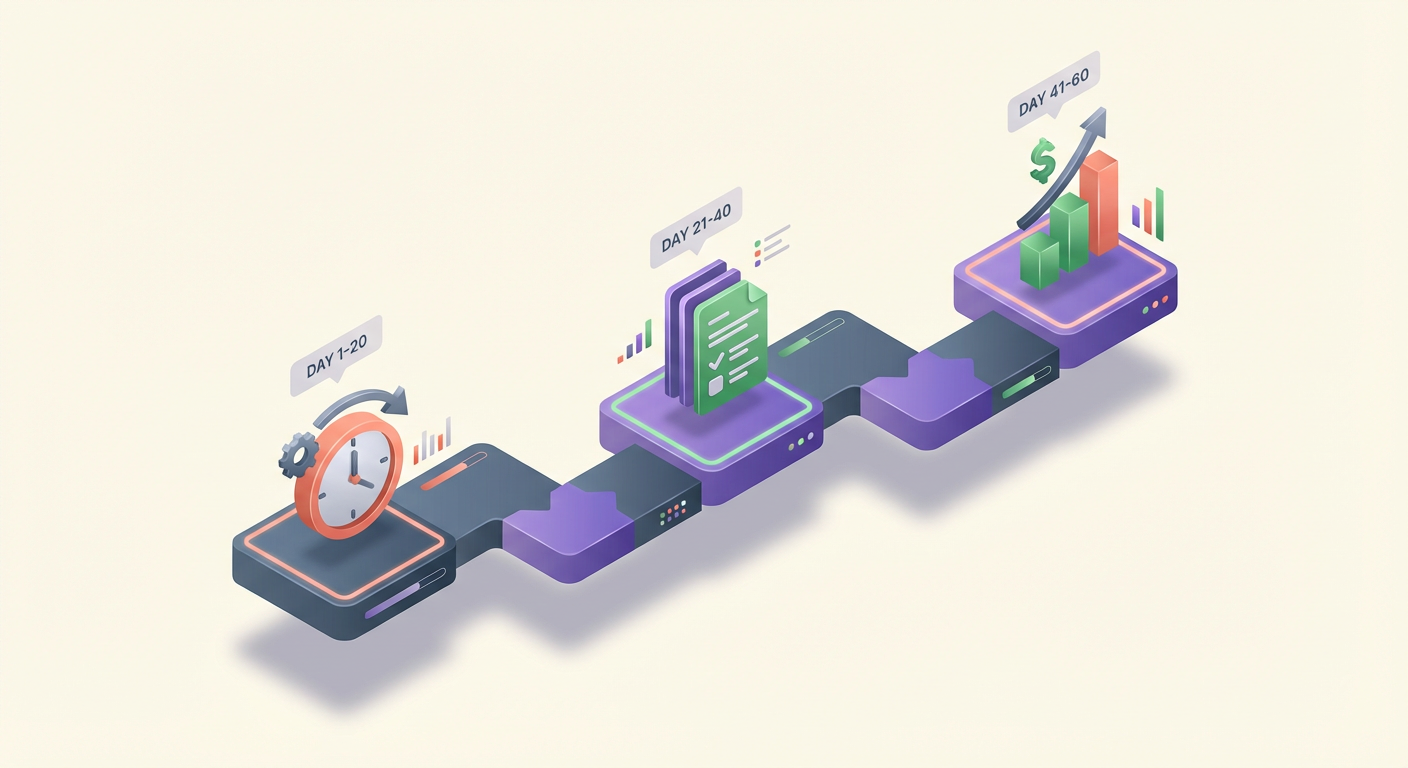
Key Insight: Consistency beats intensity. Working 12 hours one Saturday and zero hours for the next two weeks kills momentum. The plan below requires just 90 minutes on weeknights and one 4-hour block on weekends.
| Phase | Timeline | Primary Objective | Key Deliverables |
|---|---|---|---|
| 1. Strategy & Scope | Days 1-14 | Identify the "Bleeding Neck" problem. | Niche Scorecard, Competitor Audit, Offer Promise. |
| 2. The Build | Days 15-30 | Create the Minimum Viable Template (MVT). | Functional Notion System, User Guide, Loom Walkthrough. |
| 3. The Storefront | Days 31-40 | Setup conversion infrastructure. | Gumroad/Lemon Squeezy Page, Copywriting, Visual Assets. |
| 4. The Soft Launch | Days 41-50 | Beta testing and social proof. | First 5-10 sales/users, 3 Testimonials, Bug Fixes. |
| 5. The Traffic Engine | Days 51-60 | Scale distribution channels. | Twitter/LinkedIn Content Plan, Product Hunt Launch, Outreach. |
Your Revenue Goal: $5,000 MRR is the long-term target. For the first 60 days, your metric for success is Validation Revenue--reaching your first $500. Once you make $500, hitting $5,000 is simply a matter of volume and optimization.
The "Niche Viability" Scoring Framework
Now that you have a schedule, you need a target. Many creators assume that because they love a specific topic (e.g., "Notion for Coffee Tasting"), others will pay for it. This is a dangerous assumption.
To build a productized service that sells, you must target a demographic that has both Intent and Capacity. We use the P.U.P. Score (Pain, Urgency, Purchasing Power) to rate niche ideas.
Score each of your ideas from 1 (Low) to 5 (High) on the following three criteria:
1. Pain Level (Is it a Vitamin or a Painkiller?)
Are you solving a minor annoyance or a critical blockage?
- Low Score (1-2): "I want to organize my movie watch list." (Nice to have).
- High Score (4-5): "I am losing track of client invoices and losing money." (Critical financial pain).
2. Urgency (Why Now?)
Does the user need this solution today, or can they wait six months?
- Low Score (1-2): A general journal for self-reflection.
- High Score (4-5): A project management dashboard for a manager starting a new job next Monday.
3. Purchasing Power (The Wallet Test)
Does this demographic have the capacity to spend money on tools?
- Low Score (1-2): Students, hobbyists, or people looking for "free hacks."
- High Score (4-5): Freelancers, agency owners, consultants, or high-earning tech workers. These buyers view $50 as a business expense, not a personal cost.
Pro Tip: The most profitable niches usually involve Health, Wealth, or Relationships. Of these three, "Wealth" (helping people make money or save time at work) is the easiest sell for a Notion template because the ROI is measurable.
Case Study: The Tale of Two Niches
Let's apply the P.U.P. framework to two common ideas to see which one is the viable business foundation.
Idea A: The Ultimate Anime Tracker
- Target: College students who love anime.
- Pain: 2/5 (It is annoying to forget episode numbers, but not life-altering).
- Urgency: 1/5 (No deadline).
- Purchasing Power: 1/5 (Target audience has low disposable income and is used to free content).
- Total Score: 4/15. Verdict: Do not build.
Idea B: The Freelance Client Portal & CRM
- Target: Web designers and copywriters earning $60k+.
- Pain: 5/5 (Disorganized client feedback leads to scope creep and lost revenue).
- Urgency: 4/5 (Every new client interaction is stressful without a system).
- Purchasing Power: 5/5 (One saved hour pays for the template).
- Total Score: 14/15. Verdict: Build immediately.
Refining Your Target Customer Profile (TCP)
Once you have a high-scoring niche, you must narrow it down further. You cannot sell to "everyone." In the beginning, being specific allows your marketing to resonate deeply.
Use this fill-in-the-blank statement to define your TCP:
"I help [Specific Professional Role] who are struggling with [Specific Expensive Problem] to achieve [Desirable Outcome] by providing a [System/Framework]."
Example: "I help Agency Operations Managers who are struggling with onboarding new employees efficiently to achieve a 50% faster ramp-up time by providing a turnkey Notion Onboarding Dashboard."
When a potential buyer reads that, they shouldn't think, "That looks neat." They should think, "Finally, someone built this specifically for me."
Important: Do not worry about narrowing your market too much. It is easier to expand from a niche (e.g., "Agency Onboarding" -> "All HR Onboarding") than it is to shrink a broad product into a specific one. Start narrow to get your first 100 sales.
Next Steps
You now have a realistic 60-day schedule and a niche idea that scores high on Pain, Urgency, and Purchasing Power. You have moved past the "guessing" phase and entered the "execution" phase.
However, having a great idea is only the start. The next danger zone is Scope Creep. Most creators take their validated idea and try to build a massive, all-encompassing Enterprise OS that takes 3 months to finish.
In Section 2, we will tackle Rapid Prototyping. You will learn how to scope down your idea to its "Minimum Viable" version and build a sellable asset in days, not weeks, ensuring you launch on time and on budget.
Section 2: Validate Demand with Community Research and Pre-Sell Signals
Learn how to confirm what people actually want before you build by mining Reddit, X, Notion communities, and marketplaces for repeated pain points and buying language. You'll create a validation pack that turns qualitative insights into build priorities.
Learning Outcomes:
- Extract "expensive problems" and exact wording from communities and reviews to drive product decisions.
- Create a validation backlog (top problems, desired outcomes, objections, and feature requirements).
- Generate pre-sell signals (waitlist, interest posts, DM scripts, and lightweight landing page tests) to reduce build risk.
The biggest fear for any side-hustle builder is clear and paralyzing: spending three weeks of your limited evenings and weekends building a complex Notion system, launching it, and hearing absolutely nothing but crickets.
In Section 1, you identified a niche. Now, we need to ensure that niche has a wallet.
Validation is not asking your friends if they like your idea. Friends lie to protect your feelings. Validation is finding strangers who are already complaining about a specific problem and are actively looking for a solution. In this section, we move from "I think this is a good idea" to "I have proof people need this."
We will do this through a process called Forensic Community Research. You aren't guessing; you are looking for evidence.
Mining for "Expensive Problems"
Not all problems are worth solving. To reach your goal of $2K-$5K MRR, you need to solve "expensive problems." An expensive problem isn't necessarily one that costs a lot of money to fix; it's a problem that costs the user a significant amount of time, emotional energy, or status if left unsolved.
When browsing communities, you are looking for specific triggers. Ignore generic comments like "Notion is cool." Instead, hunt for high-emotion language.
Key Insight: People pay for painkillers, not vitamins. A vitamin is a "nice to have" aesthetic dashboard. A painkiller is a project management system for freelancers who are losing client data and looking unprofessional.
Use the following framework to classify the problems you find:
| Problem Level | User Sentiment | Commercial Potential |
|---|---|---|
| The Itch | "It would be cool if Notion could do this..." | Low. People rarely pay for mild inconveniences. |
| The Headache | "I'm annoyed that I have to click three times to..." | Medium. Good for low-ticket ($5-$15) templates. |
| The Migraine | "I am losing my mind trying to organize..." | High. People will pay $50+ to make this stop immediately. |
| The Bleed | "I lost a client/money because my system failed." | Very High. This is consulting/high-ticket territory ($100+). |
The Community Audit: Where and How to Look
You don't need a large audience to validate demand; you just need to know where your potential customers hang out. You are going to spend 2-3 hours this week acting as a digital detective.
1. The Reddit Goldmine
Go to subreddits like r/Notion, r/Productivity, or niche-specific boards (e.g., r/FreelanceWriters if that is your niche). Do not just scroll. Use the search bar with these specific "Buying Intent" keywords:
- "How do I track..."
- "Alternative to [Competitor Software]..."
- "Frustrated with..."
- "Template for..."
- "Willing to pay..."
2. The Twitter/X "Vent" Search
Twitter is where people complain in real-time. Use the advanced search to find people venting about the specific problem your template solves. Look for threads where people are asking for recommendations.
3. Competitor Review Hacking
Find the top 3 paid templates in your niche on Gumroad or Notion marketplaces. Read their reviews--specifically the 3-star and 4-star reviews.
- 5-star reviews often lack detail.
- 1-star reviews are often user error.
- 3/4-star reviews say: "I liked X, but I really wish it had Y."
- That "Y" is your opportunity. It is a gap in the market that a paying customer has explicitly identified.
Creating Your Validation Pack
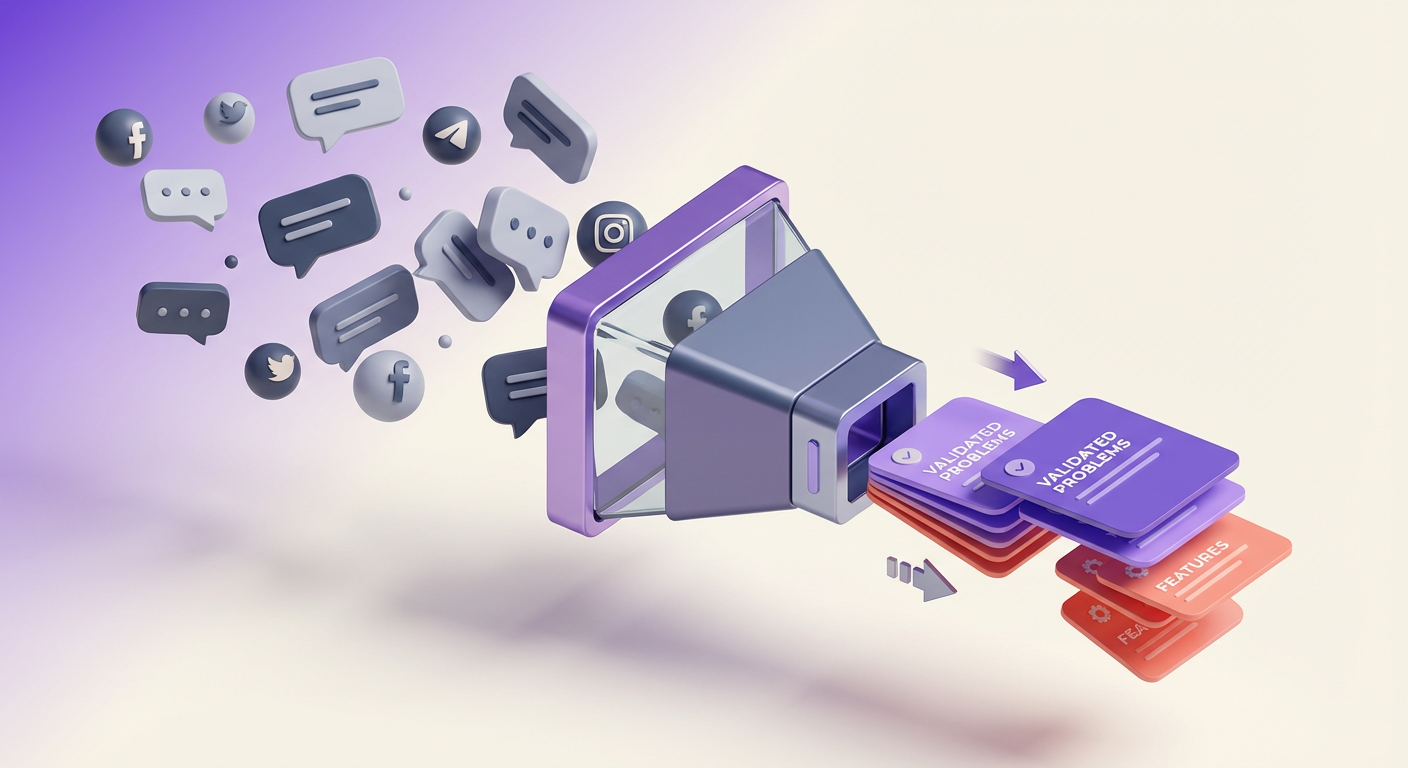
Once you have gathered this raw data, you need to turn it into a build plan. Don't rely on your memory. Create a simple document called your Validation Pack.
This document effectively writes your marketing copy for you before you even build the product. It should contain:
- The Core Friction: The top 3 recurring complaints you found.
- Voice of Customer (VoC): Copy-paste the exact words people used. If they said "I feel drowned in tasks," do not change it to "Task management issues." Use their words in your future landing page.
- The "Gap" Feature: What is the one thing missing from current solutions? (e.g., "Existing templates are too complex/bloated; people want a minimal version.")
Pro Tip: If you find the same specific question asked more than three times in different threads, you have found a product. If people are hacking together a spreadsheet to solve it, you have found a profitable product.
Generating Pre-Sell Signals (The "Smoke Test")
The ultimate validation is not a comment; it is a commitment. Before you spend 40 hours building the perfect template, spend 2 hours generating a "smoke test." This involves putting an offer in front of people to see if they react.
You do not need a finished product to do this. You need a Promise of a Solution.
Method A: The "Building in Public" Tease
Post a screenshot of a single part of your system (even if it's just a mockup) on X or Reddit.
- The Script: "I was tired of [Problem], so I'm building a dedicated [Solution] in Notion to fix it. Aiming to automate [Specific Pain Point]. Would this be useful to anyone else?"
- The Signal: If you get 10+ comments saying "I need this" or "When is this launching?", you have a green light.
Method B: The Waitlist Landing Page
Set up a free Gumroad product or a simple Carrd page. Title it with the solution name.
- Description: "Coming soon: The system to help [Audience] achieve [Outcome] without [Pain Point]. Join the waitlist for 50% off at launch."
- The Signal: 15-20 email signups from strangers is worth more than 500 likes. This is your initial customer base.
Method C: The DM "Vibe Check"
If you find people asking questions in communities, reply to them or DM them helpfully.
- The Script: "Hey, I saw you were looking for a way to track X. I'm actually building a template for exactly that right now. I'd love to send you a free early version when it's ready to see if it solves your problem. Mind if I notify you?"
- The Signal: If they say yes, you have a beta tester. If they ask "How much will it be?", you have a buyer.
Important: Do not be discouraged if a test fails. A failed test saves you weeks of building the wrong thing. If no one wants it, go back to your Community Audit and look for a sharper pain point.
From Research to Revenue
By the end of this week, you shouldn't just have an "idea." You should have a folder full of screenshots of people complaining about a problem, a list of exact phrases they use, and a small list of 10-20 people waiting for you to solve it.
This significantly reduces your imposter syndrome. You aren't forcing a product onto the world; you are answering a call for help that you have verified exists.
What You'll Build On
You are currently laying the foundation. In the full course, we expand this research into a scalable business machine:
- In Section 3 (Design): We will take the "Voice of Customer" data you gathered here and translate it into specific Notion database structures.
- In Section 4 (Build): You'll learn how to build the "Gap Features" identified in your audit to differentiate from competitors.
- In Section 5 (Launch): We will use the email list you started in this section to execute a "velvet rope" launch strategy.
- In Section 6 (Scale): We'll automate the DM scripts and social posts to turn your manual research into an evergreen traffic engine.
This concludes the preview.
In the full course, we stop planning and start building. You will get the exact Notion Builder's Blueprint to turn these insights into a professional-grade template, the Launch Day Checklist to guarantee sales in your first 24 hours, and the Pricing Psychology Framework to ensure you aren't leaving money on the table.
You have the validation. Now let's build the income stream.
Course Details
- Sections8 sections
- Price$9.99