From Zero to AI Freelancer: Secure $10K in Contracts in 60 Days
Go from AI beginner to paid AI freelancer in 60 days using a step-by-step system built for busy professionals with limited technical skills. You'll pick a profitable niche, build 5 deployable no-code AI prototypes, create a portfolio that sells, and run a repeatable outreach + proposal process to close your first 3 clients and work toward $10K/month in contracts.
While everyone's panicking about AI taking their job, a small group of non-technical freelancers are charging $150 per hour to be the human bridge between businesses and AI tools--no coding required. The companies desperately need this help, the talent pool is still tiny, and the window to position yourself as an expert instead of a commodity is closing fast. In 60 days, you'll either have $10K in signed contracts and a portfolio that commands premium rates, or you'll still be watching others build the exact future you want.
What Students Say
Hear from learners who have completed this course:
Tomás R.
Operations Manager (Logistics) → AI Automation Freelancer
I went in with basically zero AI background and a full-time ops job, so the 60-Day Plan in Section 1 was the only way I stayed consistent. The biggest unlock was the “offer + niche selection” exercises—i stopped saying “I do AI” and started pitching a specific service: automating shipment-status inquiries for small 3PLs. From Sections 3–4, I built two portfolio prototypes that were directly relevant: a customer-support Q&A assistant trained on carrier FAQs, and an integration that pushed ‘where is my order’ tickets into a spreadsheet/CRM with tags. Section 5 helped me price it as a monthly package instead of hourly, which was scary but it worked. I landed 2 clients from LinkedIn outreach (Section 7 scripts) within 6 weeks and closed my third through a sales call framework from Section 8. Concrete result: $8,400 in signed contracts in month two, and my weekday evenings are now billed work instead of random tinkering.
Read more
Adaeze O.
HR Generalist → Independent AI Consultant (Recruiting Ops)
As an HR generalist, I’m not technical, and I was worried this would be too ‘builder-y.’ Section 2 (Minimum Credible AI Skill Stack) made it feel doable—especially the parts about what clients actually care about (inputs/outputs, reliability, and simple deployment) versus fancy models. In the Prototype Factory (Sections 3–4), I built a no-code resume screening helper that generates structured candidate summaries and a second prototype that drafts interview question sets tied to competencies. The integration-focused prototypes in Section 4 were the money makers for me: I connected intake forms to an automated shortlisting workflow so hiring managers got a ranked slate and rationale in their inbox. Section 6’s Upwork system was surprisingly specific—i used the ‘10 proposals that actually convert’ format almost word-for-word, but tailored it to recruiting ops. Result: 3 Upwork contracts in 7 weeks (two fixed-price, one monthly retainer) totaling $10,250, and I now have a repeatable process for proposal writing instead of staring at a blank page.
Read more
Fatima A.
Freelance Marketing Strategist (SMBs)
I already freelanced in marketing, but I couldn’t translate ‘AI’ into something clients would pay for without it sounding like a buzzword. Section 1 helped me narrow to a clear niche: local service businesses that rely on inbound leads but respond slowly. In Sections 3–4, my prototypes were very practical—(1) a lead-intake assistant that asks qualifying questions and summarizes requests, and (2) an integration that routes high-intent leads to a priority follow-up sequence while logging everything in a simple CRM. The course forced me to build five deployable prototypes, and honestly that portfolio requirement in Section 5 is what changed my close rate—clients could click and see it working instead of trusting a promise. The pricing lessons (Section 5) helped me stop undercharging: i switched from “$50/hour” to a $2,500 setup + $1,200/month management package. Using the LinkedIn daily outreach system in Section 7, I booked 9 sales calls in a month; Section 8’s negotiation + contract templates helped me handle scope boundaries and land two retainers. I’m now at $6,400/month in recurring contracts with clearer deliverables and far fewer last-minute client emergencies.
Read more
Course Overview
Go from AI beginner to paid AI freelancer in 60 days using a step-by-step system built for busy professionals with limited technical skills. You'll pick a profitable niche, build 5 deployable no-code AI prototypes, create a portfolio that sells, and run a repeatable outreach + proposal process to close your first 3 clients and work toward $10K/month in contracts.
Section 1: 60-Day Plan, Offer, and Niche Selection (Start Here)
You'll set up your exact 60-day execution plan, choose a niche with proven demand, and define a specific AI service you can deliver without advanced coding. This section eliminates overwhelm by narrowing you to one clear path and one clear offer.
Learning Outcomes:
- Choose a niche using a simple scoring model (budget, urgency, access, competition, repeatability)
- Define a productized AI service with clear deliverables, timeline, and outcomes (not "AI consulting")
- Build a 60-day calendar with weekly deliverables and daily checklists that fit 10-12 hours/week
Most professionals looking to enter the AI space fail before they send their first invoice. They don't fail because they lack intelligence or drive; they fail because they get stuck in the "Learning Loop." They spend months watching YouTube tutorials on Large Language Models (LLMs), Python scripts, and the history of machine learning, waiting until they feel like an "expert" to start.
Here is the brutal truth: You will never feel like an expert in a field that changes every week.
To generate $3,000-$5,000 in monthly side income within 60 days, you must stop acting like a student and start acting like a business owner. This requires shifting from a "Generalist" mindset (trying to learn everything) to a "Specialist" mindset (solving one expensive problem for one specific group of people).
In this section, we are building your foundation. By the end of this module, you will have a validated niche, a specific productized offer, and a calendar that fits into your existing 10-12 hour work week.
The 5-Point Niche Scoring Model
The biggest mistake new freelancers make is offering "AI Consulting." This is vague, terrifying to buyers, and impossible to price. Instead, you need to identify a specific market segment.
We use the BUACR Framework to score potential niches. You should list 3 potential niches and score them from 1 (Low) to 5 (High) on the following criteria. You are looking for a total score of 20+.
- Budget: Does this industry have money? (e.g., Real Estate agents have marketing budgets; public school teachers do not).
- Urgency: Is their problem bleeding money or time right now? (e.g., A law firm drowning in document review vs. a hobby blogger).
- Access: Can you reach them on LinkedIn or via email? (e.g., Marketing Directors are accessible; Fortune 500 CEOs are not).
- Competition: Is the market saturated with tech-savvy freelancers? (Avoid "Social Media Marketing for Influencers"; look for "Operations for HVAC companies").
- Repeatability: Can you sell the same solution twice? (Avoid custom coding; look for workflow automation).
Key Insight: Do not fall in love with a niche because it sounds cool. Fall in love with a niche because they have a high "Pain-to-Wallet" ratio. We want clients who are losing money daily by not having your solution.
From Vague "Consulting" to a Productized Service
Once you have a niche, you must define the "what." Clients do not buy "AI integration." They buy outcomes. You must productize your service. This means packaging your skill as a product with a fixed price, fixed scope, and fixed timeline.
The Productization Shift:
| Feature | The Struggling Generalist | The High-Paid Specialist |
|---|---|---|
| Offer | "I can help you use ChatGPT for your business." | "I build automated lead-qualification bots for Dental Practices." |
| Pricing | $25/hour (negotiable) | $1,500 One-time Setup + $300/mo Maintenance |
| Deliverable | Whatever the client asks for. | A pre-built system installed in 48 hours. |
| Sales Friction | High (Client has to figure out what they need). | Low (Client just says "Yes" to the outcome). |
Your goal is to define an offer that requires zero code to start. You will be leveraging tools like Zapier, Make.com, or OpenAI's playground to connect systems, not writing software from scratch.
Example Offer:
- Target: Boutique Recruitment Agencies.
- Problem: Recruiters spend 15 hours a week summarizing candidate resumes for hiring managers.
- Solution: An AI workflow where the recruiter drops a PDF resume into a Google Drive folder, and AI automatically extracts key skills, writes a summary, and formats it into a client-ready email draft.
- Price: $1,200 Setup.
Pro Tip: Your initial offer should focus on "Time Saved." It is the easiest metric to sell. If you save a professional 10 hours a week, and they value their time at $50/hour, you are saving them $2,000 a month. Charging $1,200 for that solution is a no-brainer.
The 60-Day Execution Calendar (10-12 Hours/Week)
You have a full-time job. You cannot grind for 8 hours a day on this. You need a surgical approach to time management. Below is the exact pacing required to hit your income goals without burning out.
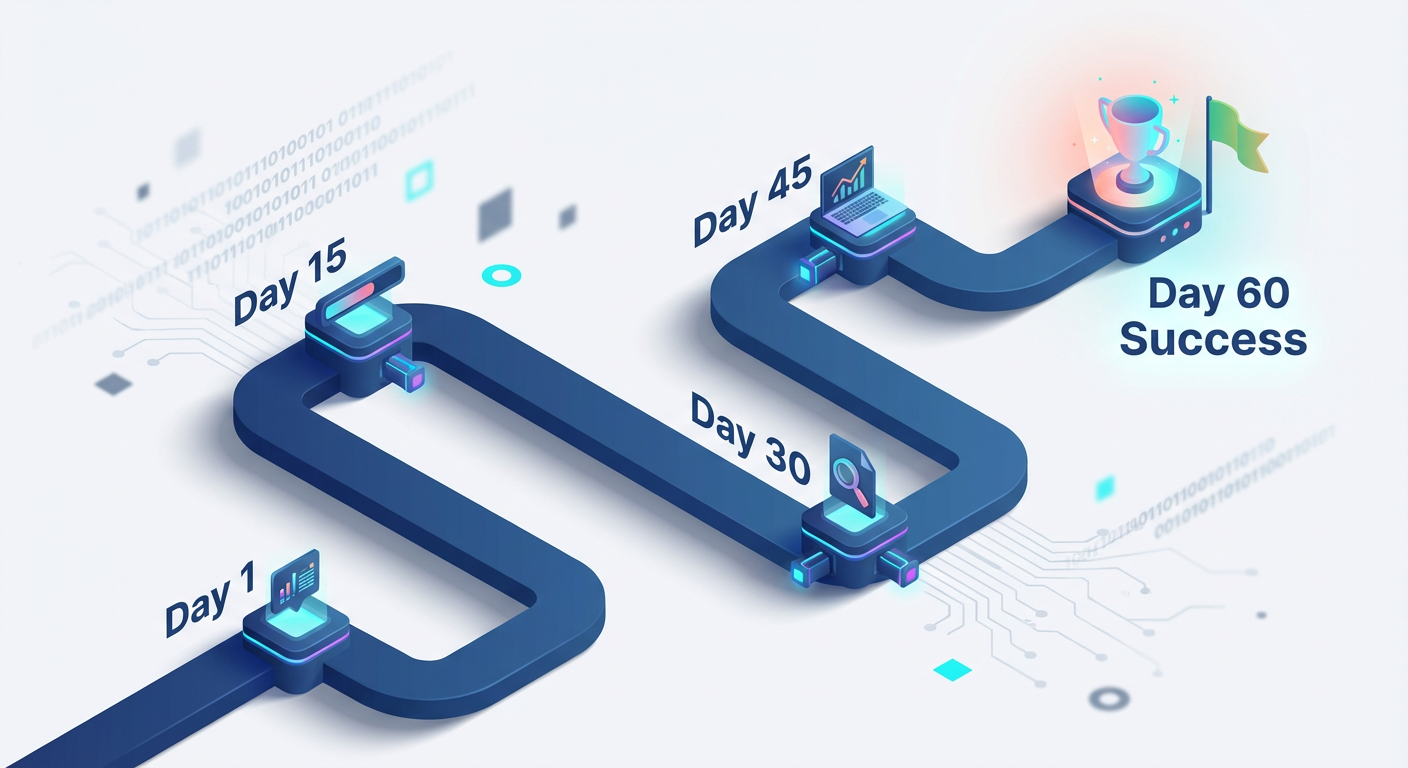
Phase 1: Foundation & Build (Days 1-30)
Focus: Selecting the niche and building the "Minimum Viable Service" (MVS).
- Week 1 (Strategy): Complete the BUACR scoring model. Select ONE niche. Draft your offer promise.
- Week 2 (Tooling): Sign up for necessary no-code tools (e.g., Zapier, ChatGPT Plus). Watch specific tutorials only relevant to your offer.
- Week 3 (The Prototype): Build the solution for a "fictional" client. If you are targeting real estate, grab a fake listing and build the automation.
- Week 4 (Portfolio): Document your prototype. Create a simple PDF case study showing "Before" vs. "After."
Phase 2: Validation & Outreach (Days 31-60)
Focus: Getting beta clients and testimonials.
- Week 5 (Beta Outreach): Contact 20 prospects offering a deep discount in exchange for a testimonial.
- Week 6 (Delivery): Deliver the work to your first 1-2 beta clients. Fix bugs. Get the testimonial.
- Week 7 (Refinement): Update your case study with real results. Raise your price to market rate.
- Week 8 (Sales): Full outbound strategy using the "Spear" email method (covered in later sections).
Important: Do not spend Week 1 building a website. You do not need a logo, a Limited Liability Company (LLC), or business cards to get your first client. You need a problem and a solution. We will build the "business" structures only after you have collected cash.
Your Daily Checklist (The "Power Hour")
To make this work alongside your 9-5, you must utilize fragmented time blocks.
- Weeknights (Mon-Thu): 60 Minutes total.
- 20 mins: Consumption (Learning the specific tool for your offer).
- 40 mins: Construction (Building the workflow or drafting the offer).
- Weekends (Sat-Sun): 3-4 Hours Deep Work.
- Focus entirely on the weekly deliverable (e.g., finishing the prototype, sending the batch of 20 emails).
Why This Works
The market is currently flooded with "AI Enthusiasts" who treat this technology as a toy. By following this 60-day plan, you position yourself as a "Business Consultant" who happens to use AI. The difference in perception--and pay--is massive.
Data from Upwork and specialized freelance platforms indicate that specialized AI automation experts are currently commanding rates 150% to 200% higher than general virtual assistants. By narrowing your focus immediately, you bypass the race to the bottom.
Coming Up Next...
Now that you have the roadmap, we need to get tactical. In Section 2, we will open up the hood on the "No-Code Toolkit." You will watch over my shoulder as I build a $1,500 service deliverable in under 45 minutes using tools you can access for free. You will stop looking at AI as "magic" and start seeing it as a series of connectable blocks.
Section 2: Your Minimum Credible AI Skill Stack (No-Code, Fast, and Sellable)
You'll learn only the AI concepts and tools required to build and sell client-ready solutions: what GPT can/can't do, how to talk about value, and how to choose the right tool for the job. The focus is credibility and execution, not theory.
Learning Outcomes:
- Explain AI capabilities to clients using business analogies (tokens, context windows, hallucinations, guardrails)
- Pick the right tool for common freelance builds (Bubble, Make/Zapier, Airtable, Replicate, OpenAI, Claude)
- Use a decision tree to scope solutions quickly and avoid "custom build" traps
You've likely spent hours watching YouTube tutorials on "How to Build a SaaS in 20 Minutes" or reading Twitter threads about the latest Python library. If you are like most professionals transitioning into this space, that information overload is paralyzing you.
Here is the brutal truth: Clients do not pay for Python scripts; they pay for solved problems.
To secure your first $3,000-$5,000 in contracts, you do not need to be a prompt engineer or a software developer. You need to be a solutions architect. You need a "Minimum Credible Skill Stack"--a lean, efficient set of tools and concepts that allow you to deliver value immediately without getting bogged down in theory.
In this section, we are stripping away the hype. We are going to define the only four AI concepts you need to explain to a client to sound like an expert, and we will identify the exact "No-Code" toolkit required to build sellable assets.
The "Boardroom" Vocabulary: Explaining AI Without the Jargon
When you are on a sales call with a Marketing Director or a CEO, using technical jargon kills the deal. It makes you look like a technician, not a consultant. Technicians get paid hourly; consultants get paid for value.
You need to translate technical limitations into business constraints. Here is your cheat sheet for explaining the "Big Four" concepts using analogies your clients already understand.
1. Tokens = The Budget
Don't explain tokenization algorithms. Explain cost and capacity.
- The Client Question: "Can we just feed it all our company PDFs?"
- Your Answer: "Think of Tokens like a telegram word count budget. We have a specific 'budget' of information we can send to the AI at once. If we exceed it, it gets expensive or the message gets cut off. We need to curate what we send it to keep costs down and quality up."
2. Context Window = Short-Term Memory
- The Client Question: "Will it remember what I told it last week?"
- Your Answer: "The Context Window is like an intern's short-term memory. It can hold about 50 pages of text in its head at one time. Once we go past that, it forgets the first page. For long-term memory, we need to build a separate filing system (database)."
3. Hallucinations = The Confident Bullshitter
- The Client Question: "Is this thing accurate?"
- Your Answer: "AI works like a very confident, slightly overworked consultant. Sometimes, if it doesn't know the answer, it will make one up to sound helpful--that's a Hallucination. That is why we never use AI for fact-checking; we use it for formatting, reasoning, and creativity."
4. Guardrails = Standard Operating Procedures (SOPs)
- The Client Question: "What if it says something offensive to a customer?"
- Your Answer: "We install Guardrails. These are strict SOPs we code into the system that act like a manager standing over the AI's shoulder, forbidding it from discussing competitors or politics, or from using slang."
Pro Tip: When you use these analogies, you instantly position yourself as a bridge between technology and business results. This is the "Translator" skill set we discussed in Section 1.
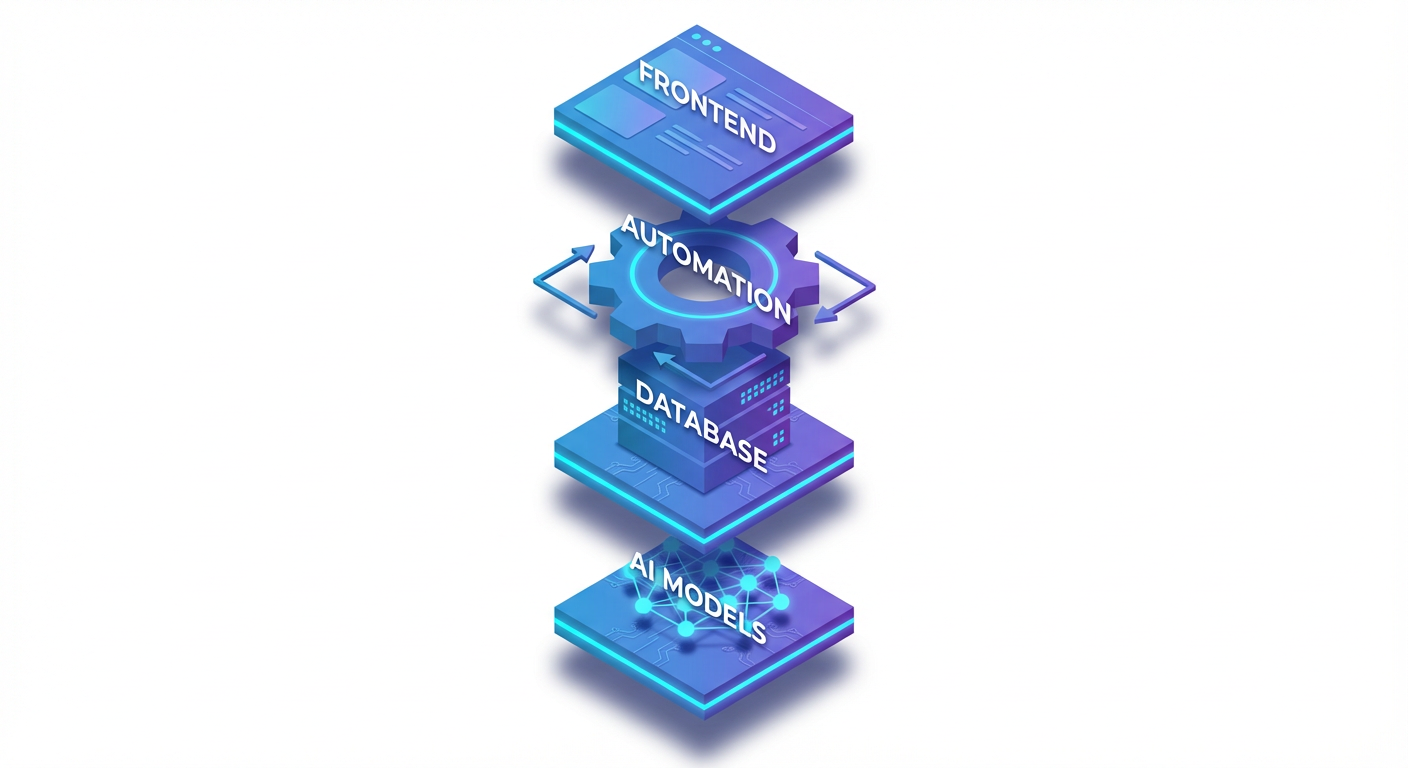
The "Big Three" Tool Stack
You do not need to learn ten tools. You need to master three categories of tools. This is the stack that powers 90% of six-figure freelance AI businesses.
| Category | The Tool | Why We Choose It | When To Use It |
|---|---|---|---|
| The Brain | OpenAI (GPT-4) / Claude 3.5 | These are the actual Intelligence models. | OpenAI for logic, data extraction, and strict formatting. Claude for creative writing, nuances, and human-sounding text. |
| The Glue | Make.com (formerly Integromat) | It connects apps visually (drag-and-drop). | To move data automatically. Example: "When a new lead hits Airtable -> Send to GPT -> Email the result." (Zapier is okay, but Make is cheaper and better for logic). |
| The Interface | Airtable / Softr | Where the data lives and where the client sees it. | Airtable acts as your database. Softr sits on top to create a pretty "Client Portal" so they never mess up your database. |
Key Insight: Avoid "All-in-one" AI writing tools. As a freelancer, your value comes from building custom workflows using raw APIs (via Make), not reselling a $20/month subscription tool the client could buy themselves.
The Decision Tree: Avoiding the "Custom Build" Trap
The fastest way to fail is to agree to build a "Custom AI App" like Uber or Airbnb. That requires engineering teams and months of work. You are selling Business Process Automation.
Use this decision tree to scope your projects during the sales cycle. This ensures you only accept work you can deliver in less than a week.
Step 1: Does the client need a chat interface?
- Yes: Do they need it embedded on their website?
- If Yes: Use Voiceflow or Stack AI. (Low code, drag and drop).
- If No: They just need internal help? Build a Custom GPT inside ChatGPT. (Zero code).
- No: Proceed to Step 2.
Step 2: Is this a "Batch Process"? (e.g., "Write 500 SEO articles" or "Categorize 1,000 support tickets")
- Yes: Use Airtable + Make + OpenAI.
- The Build: Put data in Airtable. Use Make to watch for new rows. Send to OpenAI. Update Airtable row with the answer.
- No: Proceed to Step 3.
Step 3: Does it need to browse the live internet or access real-time data?
- Yes: Use Perplexity API or Make's HTTP modules. (Slightly advanced, covered in Section 4).
- No: Stick to the core stack.
Stop & Assess: If a client asks for something outside of this tree (e.g., "I want an AI that generates video from scratch based on my dreams"), you say NO. Refer them out. Protect your reputation by only selling what you can flawlessly execute.
Practical Application: The "Ghost in the Machine" Workflow
To prove to yourself that you are ready to sell, I want you to visualize this common $1,500 project. This is a "Content Repurposing Engine."
- Trigger: A client drops a link to their YouTube video into an Airtable form.
- Action (Make.com):
- Make detects the new link.
- It uses a "Whisper" module (OpenAI) to transcribe the audio to text.
- It sends that text to Claude 3 with a prompt: "Turn this transcript into a LinkedIn post, a Twitter thread, and a Newsletter."
- Result: The drafts appear back in Airtable for the client to approve.
Total build time: 90 minutes. Value to client: 10+ hours saved per week. Your Fee: $1,500 setup + $300/mo maintenance.
This is the power of the Minimum Credible Skill Stack. You didn't write code. You didn't train a model. You chained three tools together to solve a business problem.
What Comes Next?
You now possess the foundational definitions to speak confidently and the tool map to build focused solutions. You have moved from "Curious Observer" to "Capable Builder."
However, knowing the tools is only 20% of the battle. The other 80% is convincing a stranger to trust you with their business processes and getting paid what you are worth.
What You'll Build On in the Full Course:
- In Section 3 (The Client Acquisition Engine): We will take the specific "Content Repurposing" example above and give you the exact cold email scripts and LinkedIn DM templates to sell it.
- In Section 4 (Advanced Automation): We will open up Make.com and build a live automation together that handles error checking--so if OpenAI "hallucinates," your system catches it before the client does.
- In Section 5 (Pricing & Operations): We will stop guessing fees. You'll get a calculator that tells you exactly how to price the "Context Window" limitations so you never lose money on API costs.
This section was your boot camp. The rest of the course is your deployment. You have the stack; now let's go get the contracts.
Course Details
- Sections8 sections
- Price$9.99