From Spreadsheet Chaos to Automated Workflows: Build Internal Tools That Save Your Company 10+ Hours Per Week
In 45 days, you'll turn messy spreadsheets and manual busywork into reliable automated workflows and internal tools that save your team 10+ hours per week. You'll identify the highest-impact opportunities inside your current company, ship 3-5 production-ready tools using Retool and n8n (plus lightweight scripting), and learn how to measure, communicate, and defend the ROI so your work gets adopted and recognized.
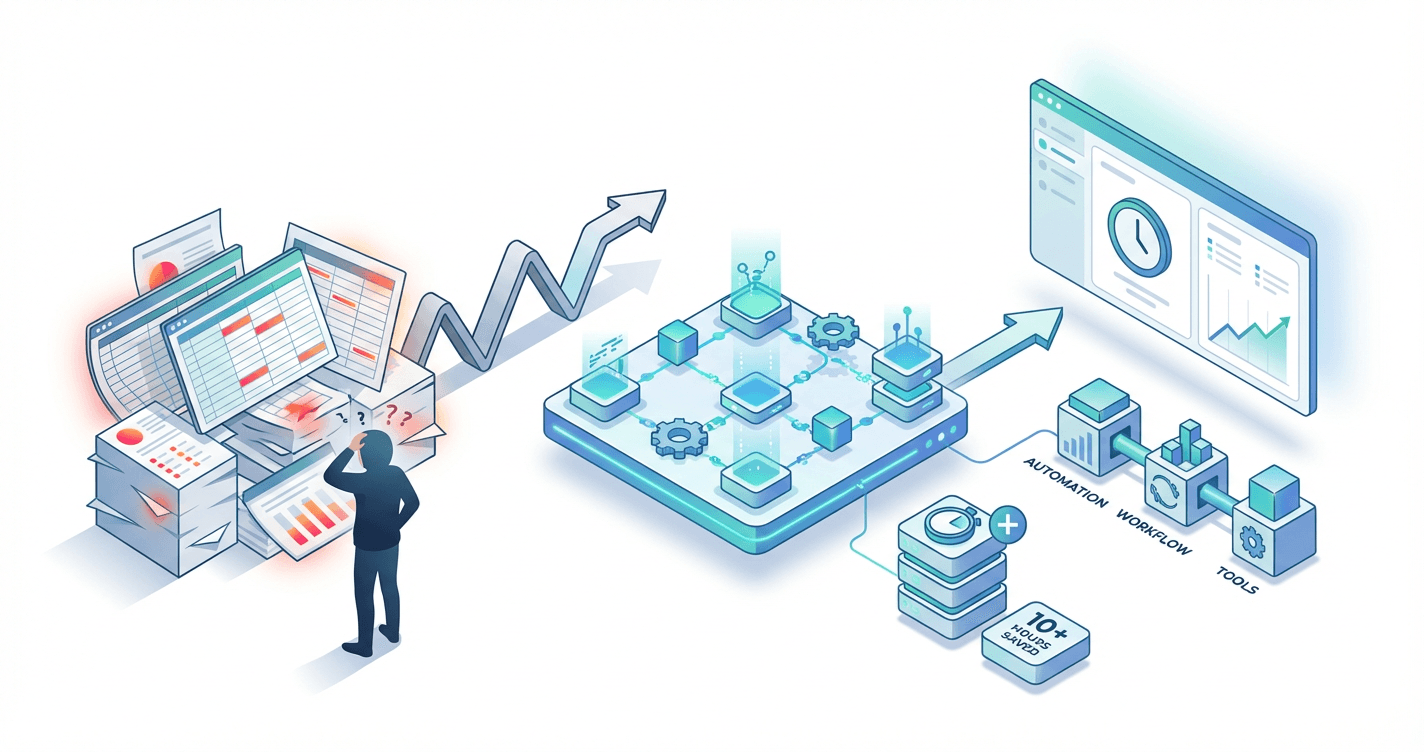
Your engineering team will never prioritize that internal tool you need, and you're tired of watching your colleagues waste 10 hours a week on manual work that could be automated in an afternoon. In the time it takes to get one feature request through the backlog, you could build three working tools yourself and become the person leadership credits with "actually getting things done." This course shows you exactly how to build real, production-ready internal tools that save measurable time--without needing to be a full-stack developer or wait for permission.
What Students Say
Hear from learners who have completed this course:
Tomás R.
Revenue Operations Manager (B2B SaaS)
I came in with a dozen fragile Google Sheets that powered our lead routing and renewals tracking. Section 1’s opportunity audit was the first time I actually quantified the “spreadsheet tax” — we found ~14 hours/week lost just to copy/paste and status chasing. For my quick win in Section 3, I built an n8n workflow that pulls new Salesforce opportunities, validates required fields, and posts exceptions to a Slack channel with an “assign owner” button. Then in Section 4 I shipped a Retool app that replaced our renewal spreadsheet: one screen for account health, tasks, and email templates, with role-based access from Section 2 so Sales could edit while Finance only viewed. The production readiness section saved me from embarrassment — adding basic monitoring + retry logic stopped the weekly ‘why didn’t it run?’ fire drills. We’re consistently saving 11–12 hours/week, and the VP asked me to present the ROI story from Section 8 at QBR. That directly led to me owning a bigger RevOps automation roadmap.
Read more
Adaeze O.
Clinical Operations Coordinator (Hospital Outpatient Network)
Our referral intake process was a nightmare of shared Excel files, duplicate entries, and missed follow-ups. The course’s Section 2 (data, access, and safety) helped me map who should see what and avoid accidentally exposing PHI in the wrong places — that was my biggest anxiety. My first quick win (Section 3) was an n8n automation that watches a secure inbox, extracts key fields from referral PDFs, and creates a standardized record + reminder tasks. After that, Retool Fundamentals (Section 4) let me build a simple internal dashboard the schedulers actually use: one queue with filters for urgency, missing documents, and ‘needs call-back.’ The light scripting module (Section 5) mattered more than I expected — I used a small JavaScript transform to normalize phone numbers and catch duplicate patients. The result: referrals are processed same-day instead of spilling into the next week, and our team measured a drop from ~9 hours/week of manual clean-up to about 1–2. I also used the stakeholder/demo guidance in Section 7 to get buy-in from nurses who were skeptical of “another tool.”
Read more
Fatima A.
Procurement Analyst (Manufacturing)
I’m not an engineer, but I was tired of spending Mondays reconciling vendor price lists across three spreadsheets and emailing people for approvals. Section 1 helped me prioritize this because it was high-frequency and error-prone — I could finally defend why it deserved time. In n8n (Section 3), I automated the ‘request for quote’ flow: when a requisition hits a shared form, it pings the right approver, creates a vendor comparison table, and writes the status back to our master sheet. Then I built a Retool app (Section 4) that our buyers use to submit and track requests, with an audit trail and permissions (Section 2) so only approvers can change final pricing. The production readiness section (Section 6) pushed me to add documentation and a simple ownership checklist so the workflow didn’t die when I took vacation. The biggest career impact was Section 8 — I tracked cycle time and error rate before/after and turned it into a one-page ROI summary. We cut the average approval cycle from 5.2 days to 2.9 and saved roughly 10 hours/week across the team. I used that write-up in my promotion packet and it was a key talking point in my review.
Read more
Course Overview
In 45 days, you'll turn messy spreadsheets and manual busywork into reliable automated workflows and internal tools that save your team 10+ hours per week. You'll identify the highest-impact opportunities inside your current company, ship 3-5 production-ready tools using Retool and n8n (plus lightweight scripting), and learn how to measure, communicate, and defend the ROI so your work gets adopted and recognized.
Section 1: Find the 10+ Hour Problem (Opportunity Audit and Prioritization)
Start with a fast, practical audit to uncover repeatable work worth automating, then use a simple scoring system to pick projects that are feasible, high-impact, and likely to be adopted. You'll leave with a short, validated backlog of automation candidates and a plan for your first quick win.
Learning Outcomes:
- Run a 15-30 minute "repetition audit" to identify workflows that are wasting time across teams
- Prioritize automation candidates using an impact/effort/risk/adoption matrix
- Write a clear problem statement with baseline metrics (time spent, volume, error rate) to measure ROI later
You are likely reading this because you are the "human glue" in your company's operations. You are the person who understands how the data moves from the CRM to the project management tool, usually because you are the one manually moving it.
You have technical intuition--you know that copying and pasting rows from a CSV export into a Google Sheet is not how modern businesses should operate. Yet, week after week, you watch your team (and yourself) lose hours to these "zombie workflows."
The biggest mistake aspiring technical operators make isn't a lack of coding skill; it's choosing the wrong battle. They try to rebuild the entire ERP system over a weekend, fail to launch, and lose credibility.
In this section, we will not write a single line of code. Instead, we are going to act like a product manager for your internal operations. We will identify a specific, high-value problem--the "10+ Hour Problem"--that is safe to build, easy to adopt, and impossible for your leadership to ignore.
The 15-Minute Repetition Audit
Automation isn't about eliminating work; it's about eliminating drudgery. To find the best opportunities, you need to stop working in the process for a moment and look at the process.
Most inefficiencies hide in plain sight. They're disguised as "just the way we do things." To break this camouflage, you will run a 15-minute Repetition Audit.
Key Insight: Do not ask your colleagues "What do you want automated?" They will ask for a spaceship. Instead, ask "What task do you dread doing every Monday morning?" or "What screen do you keep open on your second monitor all day?"
Look for these three specific signals during your audit:
- The "Swivel Chair" Workflow: This occurs when a human acts as an API. If someone reads data from one screen (e.g., Salesforce) and types it into another (e.g., Slack or Excel), you have found a prime candidate.
- The "CSV Export" Shuffle: Any process that begins with "First, I export the CSV..." is usually a cry for help. If that data is then formatted, filtered, and emailed to someone else, it's a high-priority target.
- The "Reminder" Ping: If a manager has to manually message a team to remind them to fill out timesheets or update statuses, that's an automation trigger waiting to happen.

The Prioritization Matrix: Choosing Your First Win
Once you have audited your workflows, you will likely have a list of five to ten potential projects. This is the danger zone. If you pick a project that is too complex, you will get stuck in "development hell." If you pick one that is too trivial, nobody will care when you finish.
To advance your career, you need a "Quick Win." This is a project that delivers visible value within two weeks.
Use the IER (Impact, Effort, Risk) framework to score your list.
| Factor | Definition | Ideal "Quick Win" Score |
|---|---|---|
| Impact | How much time is saved? Is the pain acute? | High (Saves 5-10 hours/week or prevents critical errors) |
| Effort | Can it be built with tools you already know? | Low/Medium (Can be prototyped in an afternoon) |
| Risk | If it breaks, does the company stop running? | Low (If it fails, we just go back to the manual way) |
Pro Tip: Avoid "Mission Critical" paths for your first build. Do not try to automate client billing or production database deletions as your first project. Start with internal notifications, reporting, or data enrichment where a failure means an annoyance, not a lawsuit.
The "Trap" Projects to Avoid
Be wary of projects that look like high impact but are actually traps for the ambitious operator:
- The "Subjective" Process: Automating something that requires qualitative judgment (e.g., "Draft a personalized email to this VIP client"). This requires complex AI or logic that often fails.
- The "Too Many Stakeholders" Problem: If you need permission from IT, Finance, and HR to get API access, put it on the backlog. Your first win needs to be within your sphere of control.
Defining the 10+ Hour Problem Statement
You have identified a workflow. It scores well on the matrix. Now, you must articulate the problem.
Most people pitch solutions: "I want to build a Python script to scrape the website." Successful operators pitch problems: "We are losing $15,000 a year paying senior staff to copy-paste addresses."
To get buy-in from your boss (and to validate that this is worth your time), you must write a Problem Statement with baseline metrics.
The Formula: [Who] spends [Amount of Time] doing [Task] at a frequency of [Frequency], resulting in [Negative Consequence].
Example: The Weekly Sales Report
Weak Statement: "The sales team wastes too much time on the Monday report and I think we should automate it."
Strong Problem Statement: "Three Senior Account Managers spend 2 hours every Monday compiling the pipeline update. That is 6 hours per week (300 hours/year) of high-salary time spent on data entry rather than selling. Additionally, manual entry errors occur in 15% of reports, leading to incorrect forecasting."
Important: Always calculate the "Annualized Cost." 10 hours a week doesn't sound like much until you frame it as 500 hours a year. If the employee costs $60/hour, you have just identified a $30,000 problem. Fixing this makes you look like a strategic asset, not just a tinkerer.
Validation: The "Manual-Matic" Test
Before you commit to building the full solution in the coming sections, you need to verify one final thing: Will people actually use the output?
Perform a "Manual-matic" test. Manually perform the task exactly as you intend the automation to do it, and deliver the result to the stakeholder.
- If you plan to automate a Slack notification, type it out manually and send it at the scheduled time.
- If you plan to automate a PDF report, create one manually and email it.
If the recipient says, "Wow, thanks, this saved me so much time," you have a green light. If they ignore it or say "I don't really look at this," you have just saved yourself weeks of development time on a tool nobody wanted.
Summary and Deliverable
By the end of this section, you should have one clear target. Do not worry about how you will build it yet. Focus entirely on what needs to be solved.
Your Action Plan:
- Audit: Spend one day observing your team. Note every time data is moved manually.
- Score: Plot your observations on the Impact/Effort matrix. Look for the Low Effort / High Impact quadrant.
- Define: Write your Problem Statement including the annualized hours wasted.
Coming Up Next: Now that you have a validated, high-value problem, we need to design the solution. In Section 2: Mapping the Workflow, we will move away from vague ideas and learn how to diagram the logic of your automation. You will learn how to translate human steps into machine logic, identifying exactly where your data triggers, actions, and conditionals will live.
Section 2: Internal Tools 101 (Data, Access, and Safety Without Waiting on Engineering)
Learn the minimum technical foundation that makes internal tools succeed: how data moves between systems, how to get access responsibly, and how to avoid breaking production. This section demystifies APIs, webhooks, databases, permissions, and environment setup without turning into a computer science lecture.
Learning Outcomes:
- Map any process into inputs, transformations, and outputs (the "workflow blueprint")
- Choose the right integration approach: API, webhook, CSV import/export, database query, or RPA-style workaround
- Establish safe access patterns (service accounts, least privilege, secrets management basics) to avoid security and compliance problems
You've identified a 10-hour-per-week problem in Section 1. You know exactly how much money it's costing the company. The natural impulse now is to open a new browser tab, sign up for a tool like Retool, Zapier, or n8n, and start dragging and dropping.
Stop.
The number one reason internal tools fail isn't because the software is hard to use. It's because the builder didn't understand the "plumbing" before they started hanging the drywall. Even worse, rushing into a build without understanding data safety is the fastest way to accidentally delete production data or expose customer emails--the kind of mistakes that get access revoked permanently.
In this section, we are going to bridge the gap between "I have an idea" and "I can build this safely." We will cover the technical primitives that allow different software to talk to each other without requiring a computer science degree.
The Workflow Blueprint: Inputs, Transformations, Outputs
Before you write a single line of SQL or configure a webhook, you must be able to map your process on a whiteboard. Every piece of software, from a simple script to a massive enterprise platform, consists of three distinct stages. If you can identify these three components, you can automate anything.
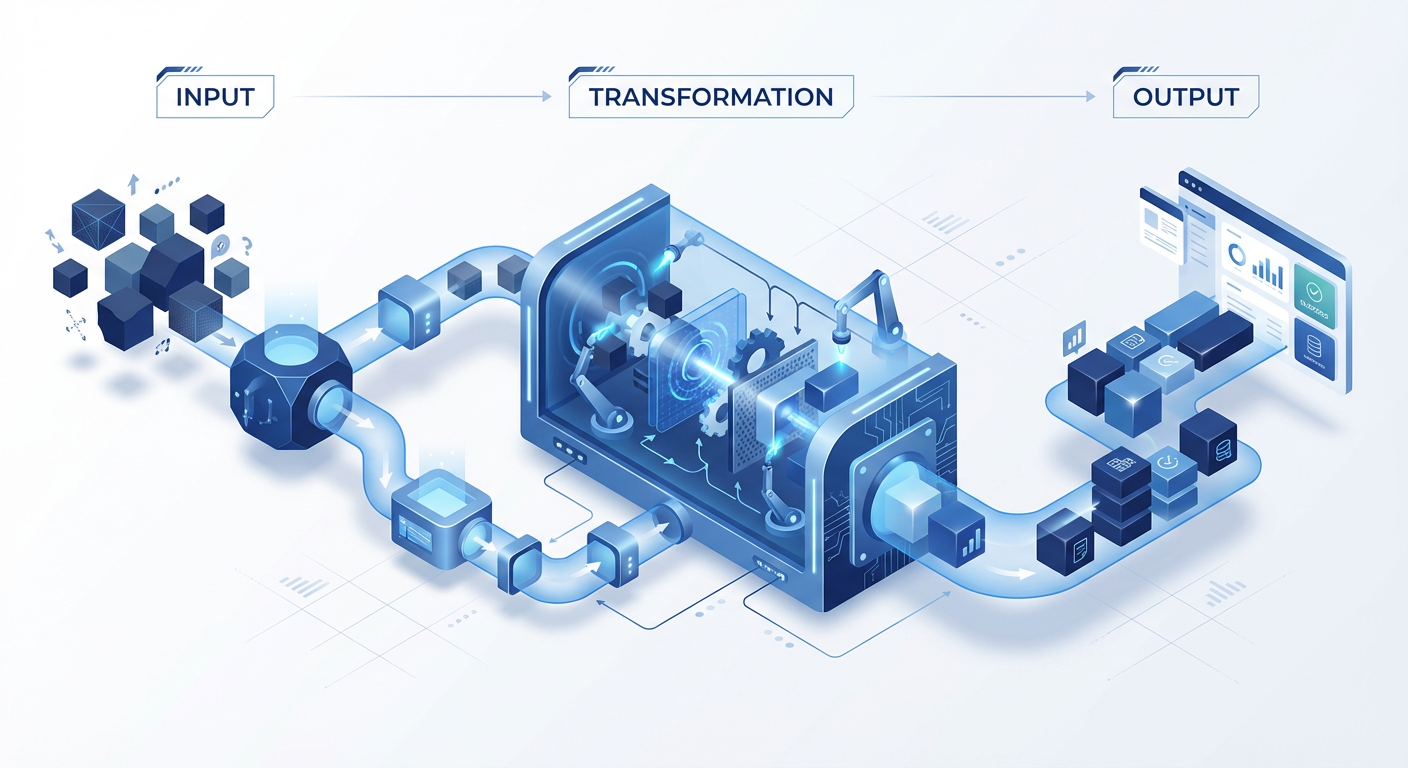
- Inputs (The Source): Where does the data currently live? Is it a Typeform submission? A row in a PostgreSQL database? A JSON object from a Stripe payment?
- Transformations (The Logic): What needs to happen to that data? Do you need to format a date, filter out non-paying customers, calculate a commission percentage, or merge two text fields?
- Outputs (The Destination): Where does the result go? Does it update a Salesforce record, post a message to Slack, or generate a PDF invoice?
Pro Tip: When documenting your workflow, be specific about data types. "Customer Name" is vague. "String variable
customer_full_namefrom HubSpot API" is actionable. The more precise your blueprint, the easier the build.
The Integration Menu: How Systems Talk
Once you know your Input and Output, you need a way to move data between them. Many non-engineers get stuck here because they think the only way to integrate tools is "build an API." In reality, you have a menu of options ranging from "quick and dirty" to "enterprise-grade."
Here is the decision matrix for choosing your integration style:
| Method | Analogy | Complexity | Stability | Best Used For |
|---|---|---|---|---|
| CSV Import/Export | The "Sneaker Network" | Low | Low | One-off migrations or legacy systems with no connectivity. |
| Webhooks | The Doorbell | Low/Mid | High | Real-time triggers (e.g., "When a row is added in Airtable, start this workflow"). |
| REST API | The Polite Conversation | Mid | High | Fetching specific data or pushing updates on demand (e.g., "Get user details for ID #123"). |
| Direct Database (SQL) | Open Heart Surgery | High | Very High | Heavy reporting, dashboards, or bulk data manipulation. |
| RPA (Screen Scraping) | The Robot User | High | Low | Systems that have no API (legacy gov sites, banking portals). |
The Golden Rule of Integration: Always choose the simplest method that solves the problem reliably. Don't build a complex API integration if a daily CSV export via email automates 90% of the work.
Access and Safety: How to Get "Yes" from Engineering
The biggest barrier to building internal tools usually isn't skill--it's permission. Engineering and IT teams are protective of their data, and rightfully so. To get the keys to the kingdom (API tokens, database credentials), you need to speak their language: Risk Mitigation.
When you request access to build your tool, follow these three safety protocols to prove you're a responsible operator.
1. The Principle of Least Privilege
Never ask for "Admin" access if "Read-Only" will suffice. If you are building a dashboard to view customer churn, you do not need permissions to delete users.
- Bad Request: "Can I get the credentials for the production database?"
- Good Request: "I need a read-only service account for the
usersandsubscriptionstables to power a support dashboard. I do not need write access."
2. Service Accounts vs. Personal Accounts
When you build an automation using your personal email login, that automation dies the day you leave the company or change your password. This is a major liability.
Always request or create a Service Account--a generic "user" (e.g., bot-operations@company.com) that acts as the identity for your tool. This ensures business continuity and separates your personal actions from the tool's actions in the audit logs.
3. Secrets Management
This is the fastest way to get fired: hardcoding an API key or password directly into a script that you then push to a public GitHub repository or share in Slack.
Critical Security Warning: API keys are like cash. If you leave them on a park bench, they will be stolen.
- Never paste credentials into a chat window.
- Never store passwords in plain text in a Google Sheet connected to your tool.
- Always use "Environment Variables" (often labeled as
.envor "Config Variables" in tools like Retool or Zapier) to store secrets securely.
The "Shadow IT" Trap
You are currently walking a fine line. On one side is "Shadow IT"--unsanctioned, fragile tools built by non-engineers that break and cause headaches for IT. On the other side is "Citizen Development"--sanctioned, valuable tools built by operators who follow protocol.
The difference is transparency.
Don't hide your tools. Document them. Create a simple "ReadMe" for every workflow you build. List who owns it, what APIs it touches, and what to do if it breaks. When Engineering sees that you document your work and handle credentials safely, they stop seeing you as a risk and start seeing you as a partner.
What You'll Build On
This section laid the theoretical foundation. In the full course, we move from concepts to concrete execution:
- In Section 3, we will dive into No-Code Logic, helping you choose the exact platform (Retool vs. n8n vs. Glide) based on your blueprint.
- In Section 4, we tackle Databases for Operators, teaching you the specific SQL queries you need to pull data without crashing the server.
- In Section 6, we cover Error Handling, ensuring that when an API fails (and it will), your tool alerts you instead of silently failing.
Summary
You now have the blueprint. You know that every problem is just Inputs, Transformations, and Outputs. You know that Webhooks are for triggers and APIs are for conversations. Most importantly, you know how to ask for access without terrifying your security team.
You are no longer just an operator asking for a feature request. You are a technical stakeholder ready to build.
In the next sections, we stop planning and start building. We will open the terminal (briefly!), configure our first environments, and ship a tool that buys you back your time.
Course Details
- Sections8 sections
- Price$9.99